

Receive a delivery
Record what a supplier delivered, at what cost, so your stock and books stay right.
- In Stock, open Stock movement and choose Supplier receipt.
- Choose the Supplier. If the delivery is for an order you made, choose the Purchase order; otherwise leave it as Direct receipt.
- Type the Supplier invoice number and the Due date if you pay later.
- For each item, tap Add item and type the Quantity and Unit cost. For goods with a date, add the Batch number and Expiry date.
- If the delivery came with freight or customs costs, add them in Freight and customs.
- Tap Review and record movement.
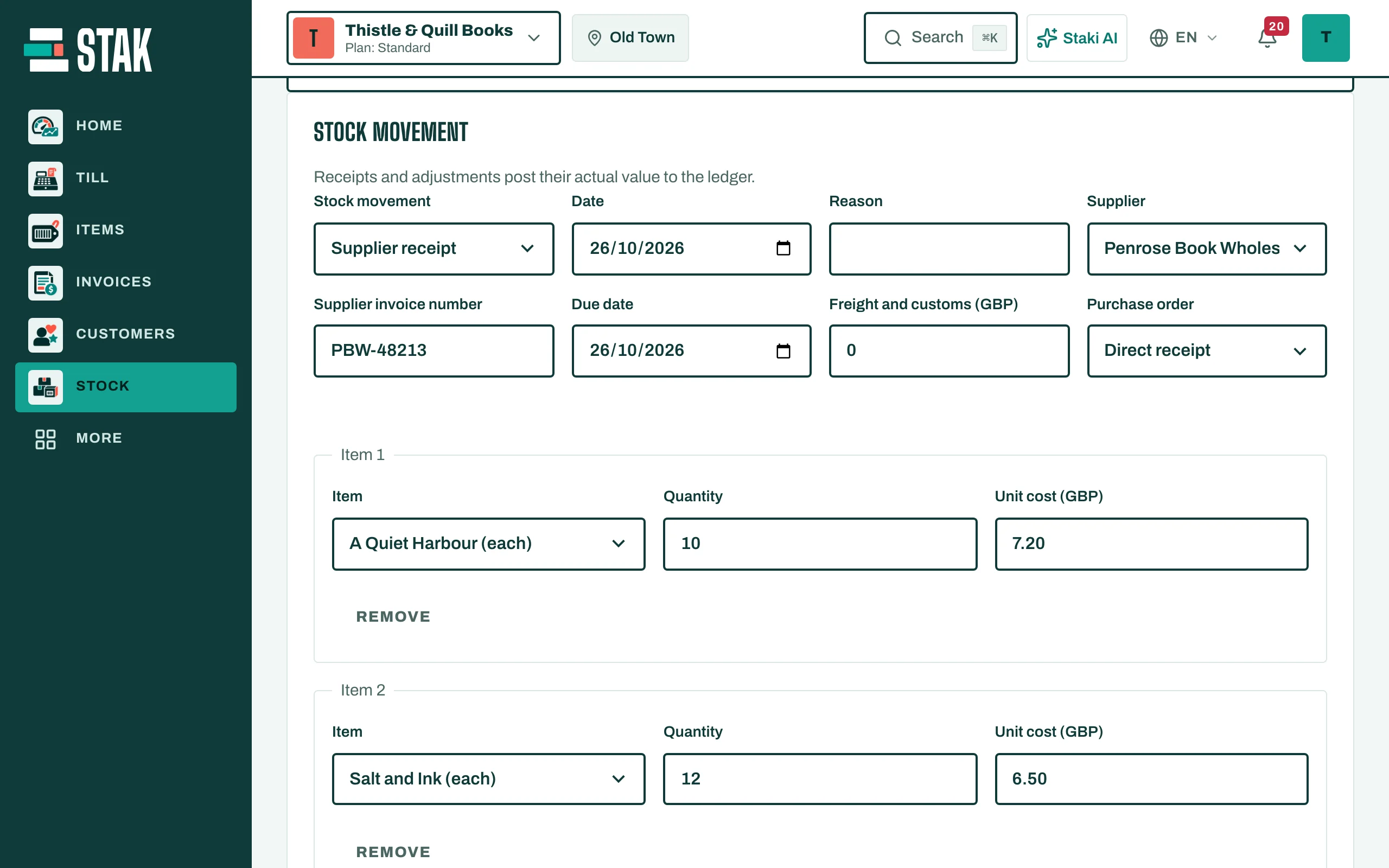
The stock goes up and the actual value is posted to your books.
Pay the supplier
Open the purchase in Supplier bills and price history, tap Record payment, and fill in the Payment method, Amount paid toward this bill and Receipt number or bank reference. Tick I confirm the supplier has already received this payment. This records a payment you made outside STAK; it doesn't send money.