Get started with Stock
Add your stock locations and suppliers, enter your opening stock, and see what is running low.
Stock knows the quantity, cost and place of everything you hold. Sales on the till and the online store take items out by themselves; you record what comes in.
Add your locations and suppliers
- Tap Stock in the menu. You see Inventory & purchasing.
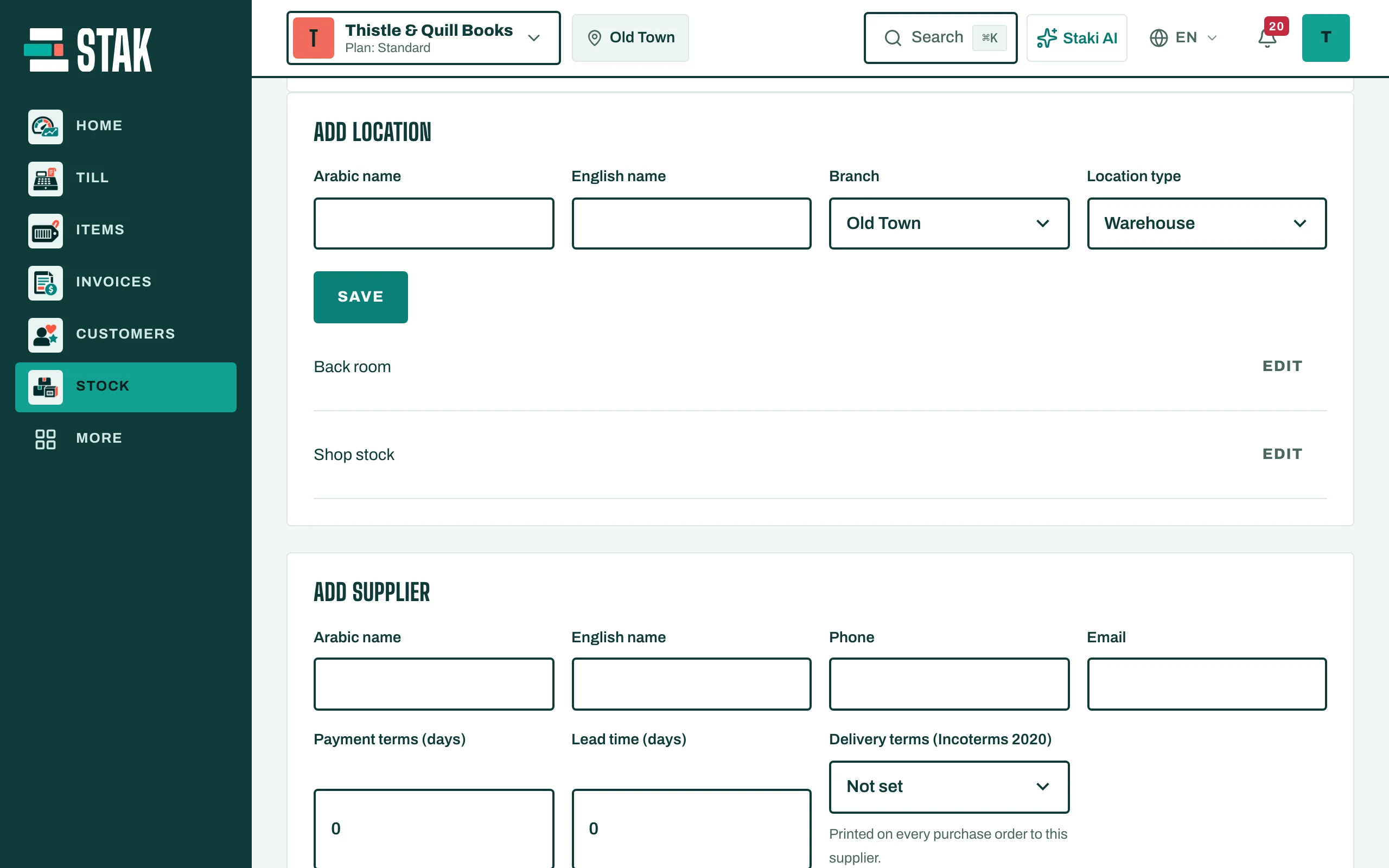
- Open Locations & suppliers.
- Tap Add location: give it a name and a Location type (Shop, Storeroom, Kitchen, Van or Warehouse).
- Tap Add supplier for each supplier, with their phone, Payment terms (days) and Lead time (days).
Enter your opening stock
- Open Stock movement and choose Reviewed opening balance.
- Choose the Location, then for each item tap Add item and type the Quantity and Unit cost.
- Tap Review and record movement.
Set reorder levels
In Locations & suppliers, under Reorder levels, set each item's Reorder point (when to order) and Target level (how many to have after ordering). STAK then warns you before an item runs out.
Read the summary
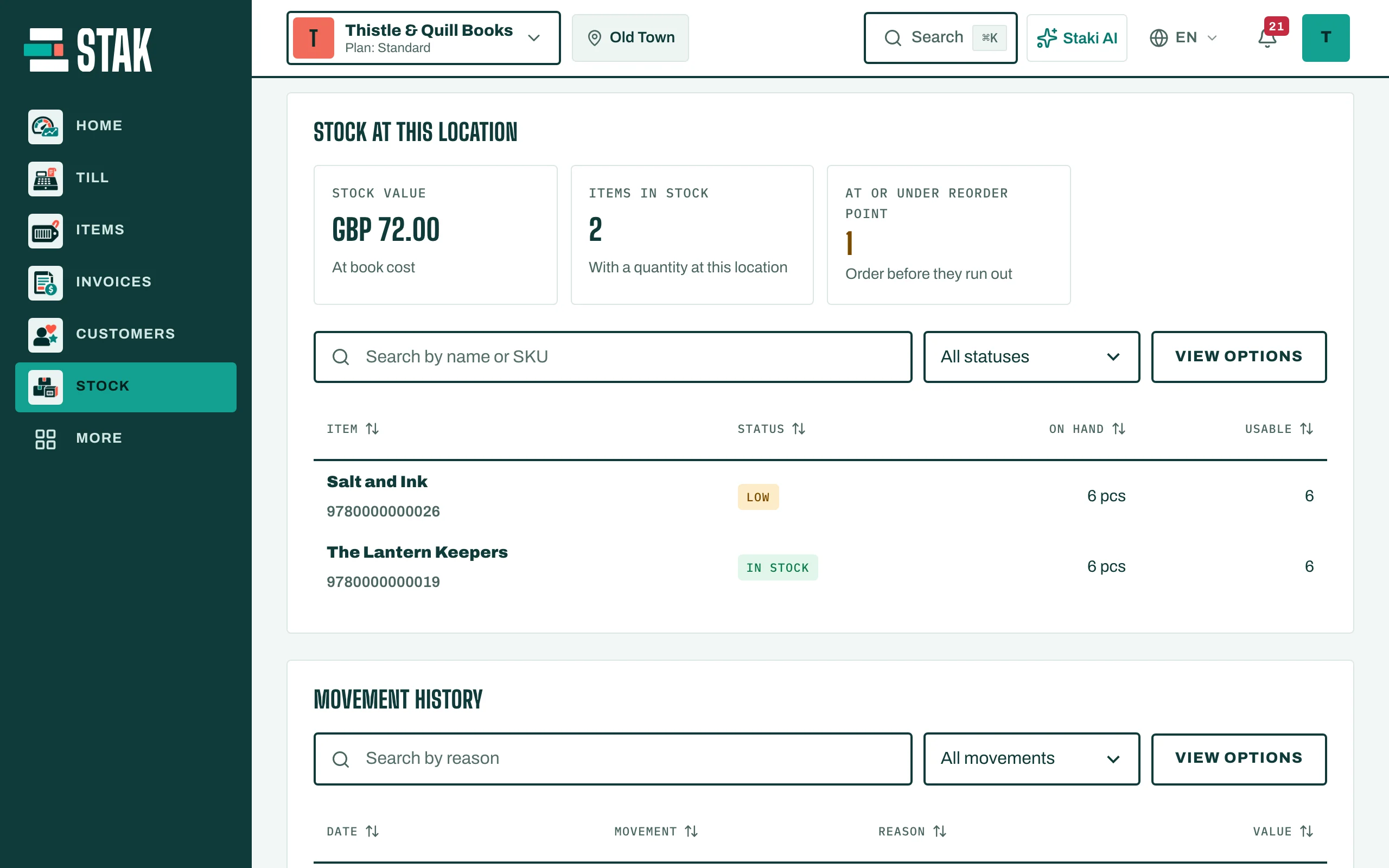
Open Stock. The Stock summary for this location shows the Stock value, Items in stock, how many are At or under reorder point, and lots Expiring in the coming days. Below it, Stock at this location lists each item with On hand, Usable and its status (In stock, Low or Out of stock).