

Get started with STAK Property
Add your buildings and units, turn on the tenant portal, and see occupancy and overdue rent at a glance.
STAK Property keeps your units, leases, rent, maintenance and owner statements in one place.
Open Property
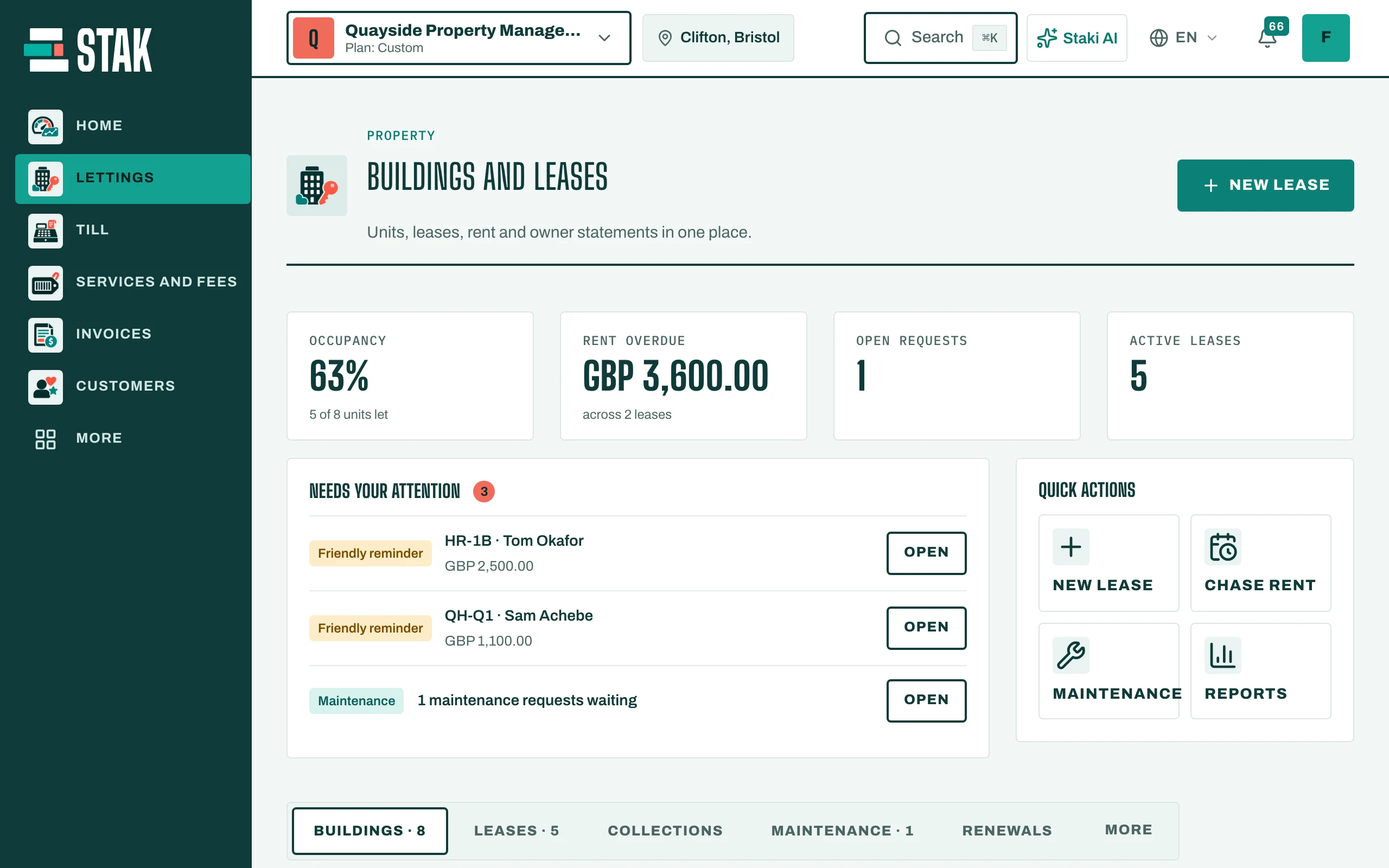
In the menu, tap Property. Overview shows your Occupancy, Rent overdue, Open requests and Active leases, and what Needs your attention today.
Add a building and its units
- Open Buildings and tap Add a building.
- Fill in the Short code (used in unit labels, for example B1-101), the Name in Arabic and Name in English, the Building type, the Address, the Area and the number of Floors. Tap Save.
- Tap Add a unit. Enter the Unit number, Unit type (Flat, Villa, Shop, Office and others), Floor, Area (m²), Bedrooms, Bathrooms and Market rent (a month).
- If you manage the unit for someone else, tap Add an owner under Owners. Co-owners add up to 100%. Leave it empty when your business owns the unit.
- Tap Save.
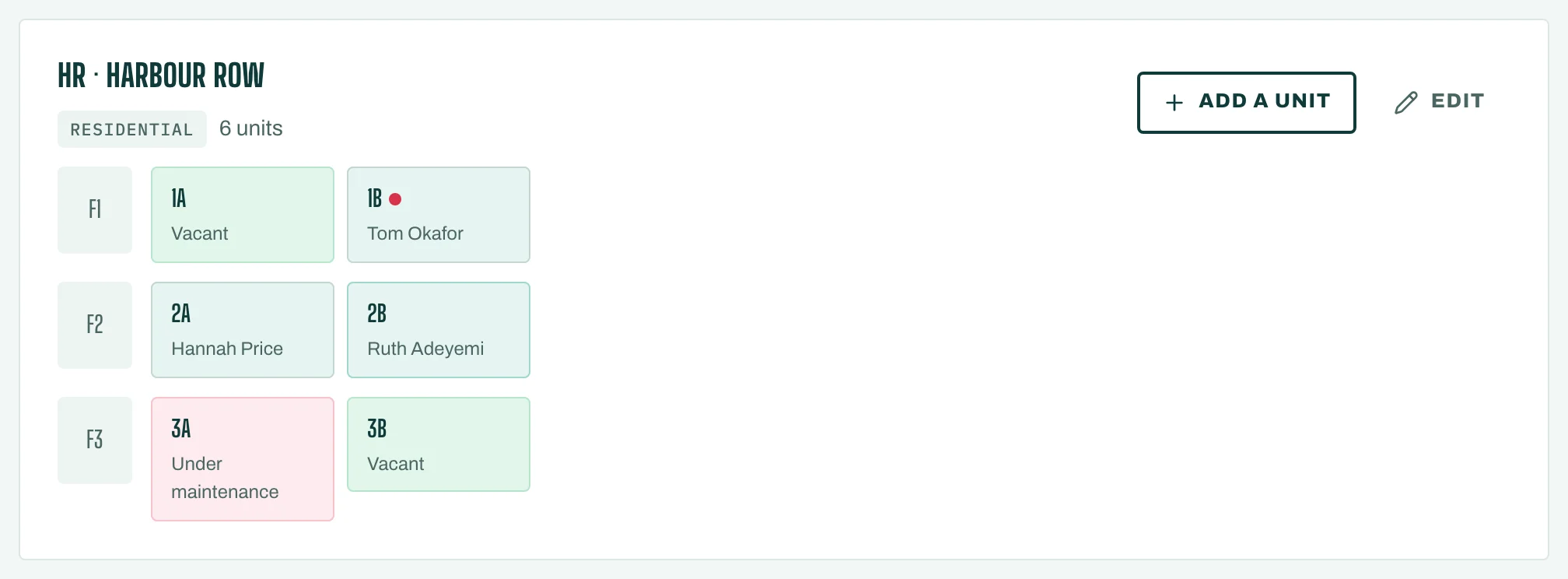
Each unit shows its status: Vacant, Reserved, Occupied, Notice given or Under maintenance.
Import a whole building
For many units, tap Import units. Paste the rows copied from Excel or Google Sheets, one unit a line, then tap Check the rows. STAK marks the rows that need attention, such as Already registered or Unknown building code. Then tap the import button, which shows the number of ready rows (for example Import 24 units).
Turn on the tenant portal
In Settings, tick Tenant portal on and choose the Portal address. Tenants open it and sign in with a code sent to their phone. There they sign their lease, pay rent, see their statement and raise maintenance requests.