

Send owner statements
Keep each owner's money apart, take your management fee, approve the monthly statement and pay the owner.
If you manage units for other owners, STAK keeps each owner's money apart from your revenue. Your fee is your income. Owner statements and payouts start on the Standard plan.
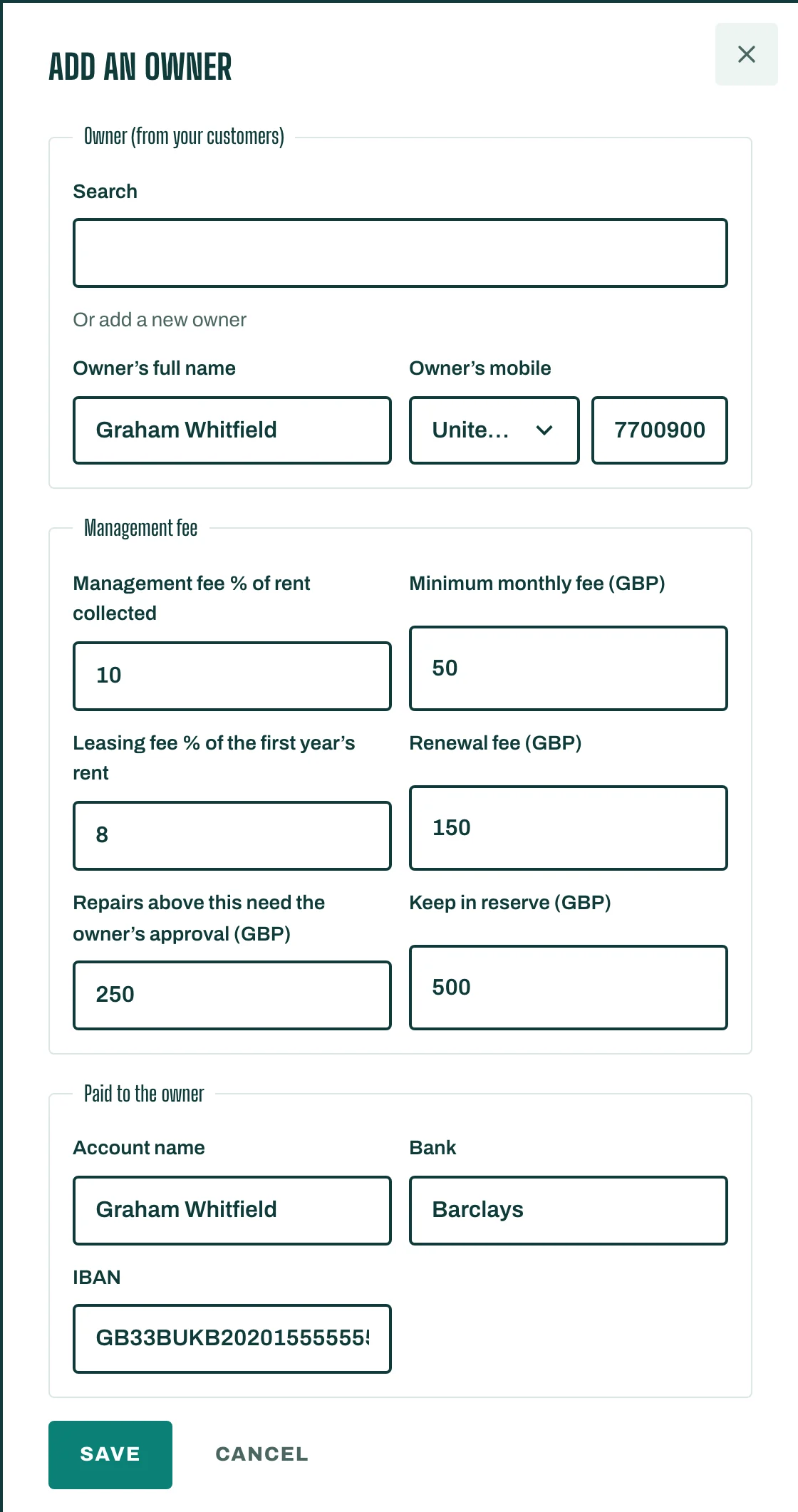
Add an owner
- Open Owners and tap Add an owner.
- Choose the Owner (from your customers).
- Set your fees: Management fee % of rent collected, Minimum monthly fee, Leasing fee % of the first year's rent and Renewal fee.
- Set Repairs above this need the owner's approval and how much to Keep in reserve.
- Add their bank details for payouts: Account name, Bank and IBAN. Save.
Then link the owner to their units (see Get started).
The monthly statement
- Open the owner and tap Statement. Choose the Month.
- Tap Bring in latest payments.
- Check the lines: Opening balance, Rent collected, Costs paid, Management fee, Paid to the owner and Closing balance.
- When the month has ended, tap Approve the statement.
To charge a cost such as a repair to the owners, tap Charge a cost to the owners and choose where it was Paid from.
Pay the owner
Tap Pay the owner to record a payout of what Can be paid now (the balance less the reserve). To pay several owners at once, use Payout batch, record it and download the bank file. When an owner must add money, tap Record a contribution.