

Renew or end a lease
Offer renewals before leases end, record a notice to vacate, check the unit out, and close the lease.
Renew
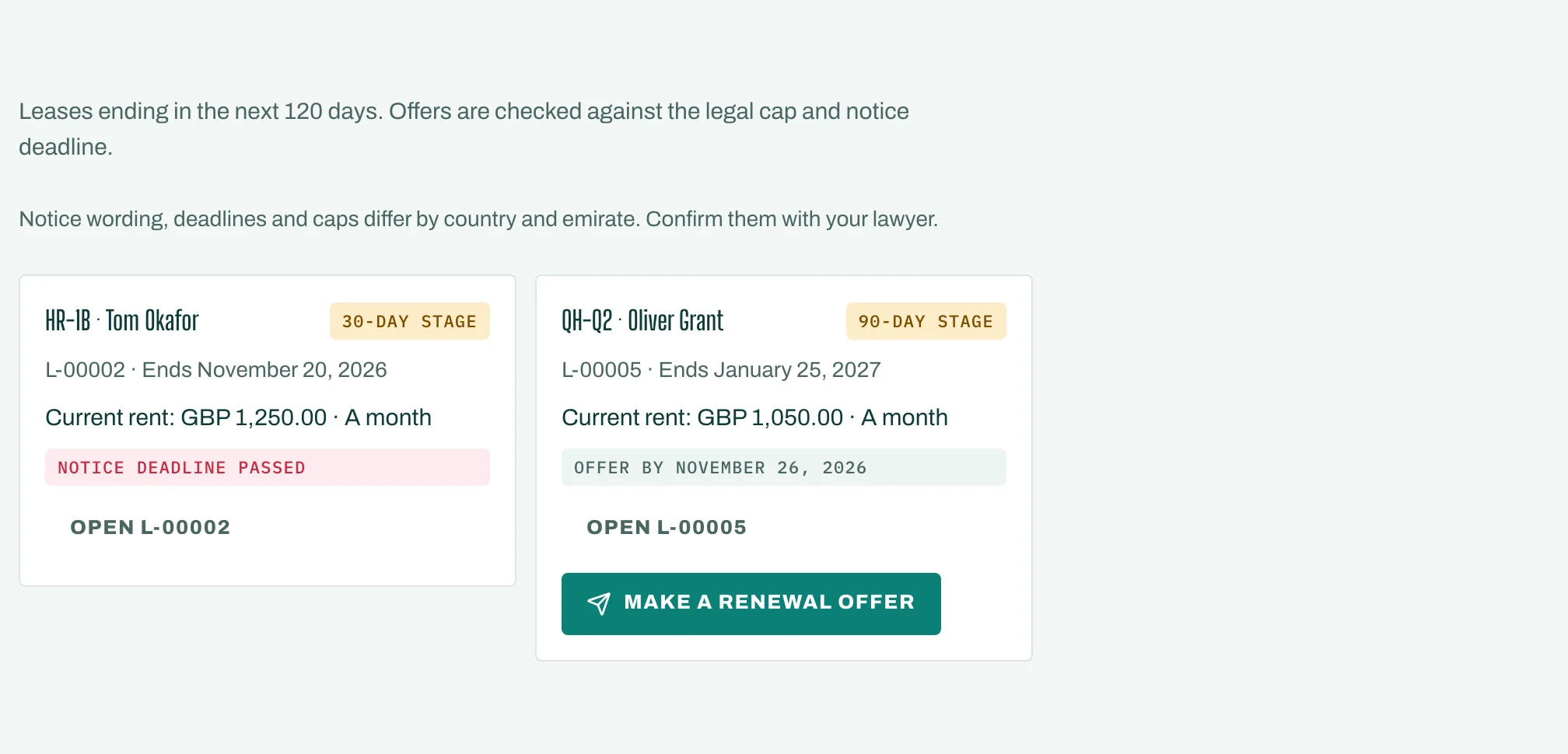
Renewals lists leases ending in the next 120 days. Each shows up 90, 60 and 30 days before it ends, with the date to make your offer by.
- Tap Make a renewal offer. You see the Current rent and the Market rent.
- Enter the Offered rent. Where a legal cap applies, STAK shows Highest allowed and stops an offer above it.
- Set when the New term ends and tap Send the offer.
The offer then shows Accepted, Declined or Lapsed. If the tenant tells you they are leaving, tap Tenant will not renew.
Notice to vacate
On the lease, tap Record a notice to vacate. Choose who the notice is from (Tenant or Landlord) and the Vacating on date. The unit shows Notice given. To cancel it, tap Withdraw notice.
Check the unit out
Under Move-in and move-out checks, start a Move-out check. Walk the unit, note each area with photos and the meter readings. The tenant signs the report on their phone, and any area Worse since move-in is shown.
End the lease
- Tap End the lease.
- Enter the Ended on date and Why it ended: Term over, Tenant left, Terminated, Renewed or Cancelled.
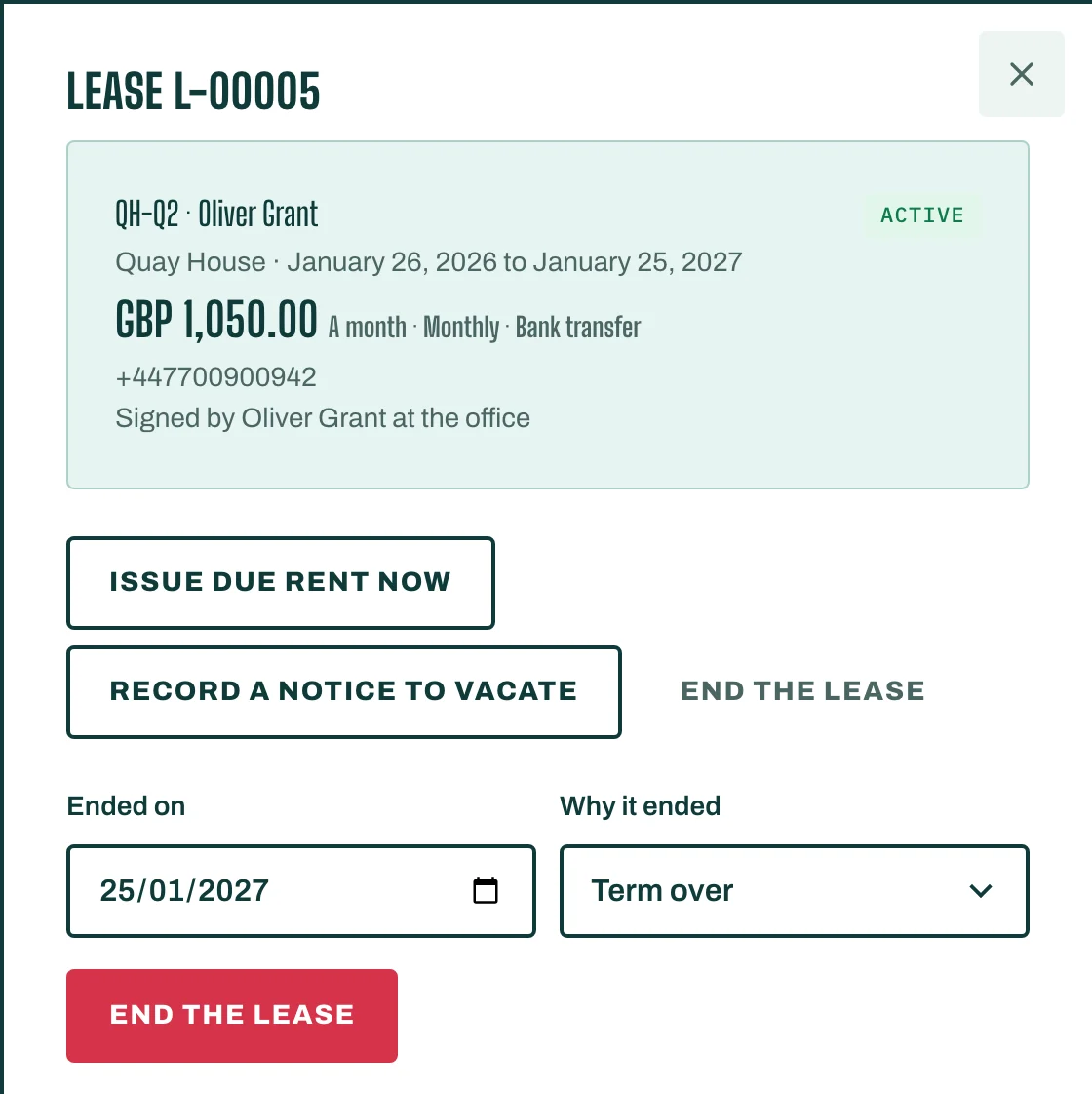
The unit returns to Vacant, ready to let again.