

Split the bill and take payment
Bill a whole table, one seat or chosen dishes, split it between guests, take payment, then clear the table.
Make the bill
- Open the table's order and tap Bills and payment.
- Choose what this bill covers: All unbilled items, a Seat, or tick the dishes one by one. Sent prices and options stay as they were.
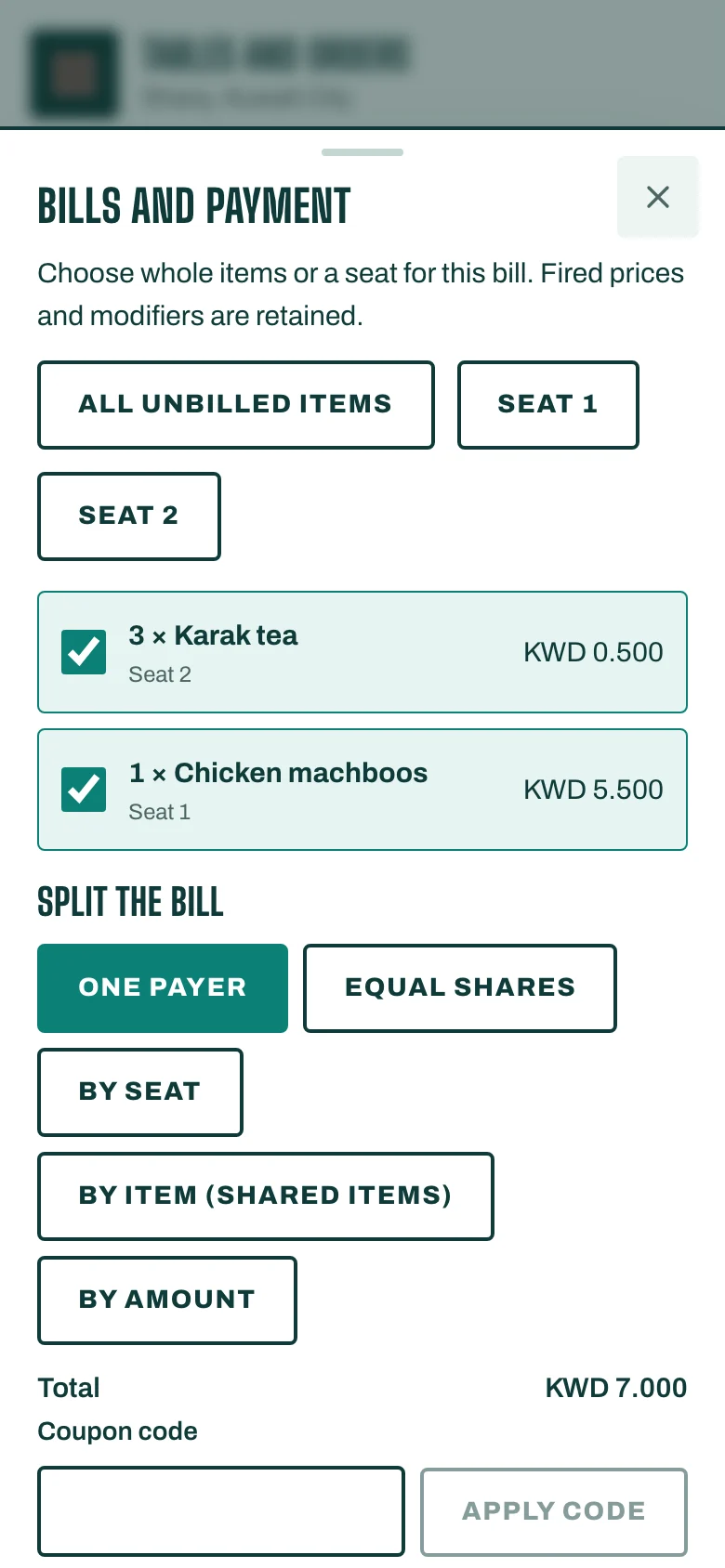
Split it (optional)
Under Split the bill, choose how the guests pay:
- One payer,
- Equal shares, with the number of Payers,
- By seat: type each payer's seat numbers, separated by commas,
- By item (shared items): tick every payer who shares each dish. Shared dishes are divided exactly,
- By amount.
Tap Check shares to see each payer's Share.
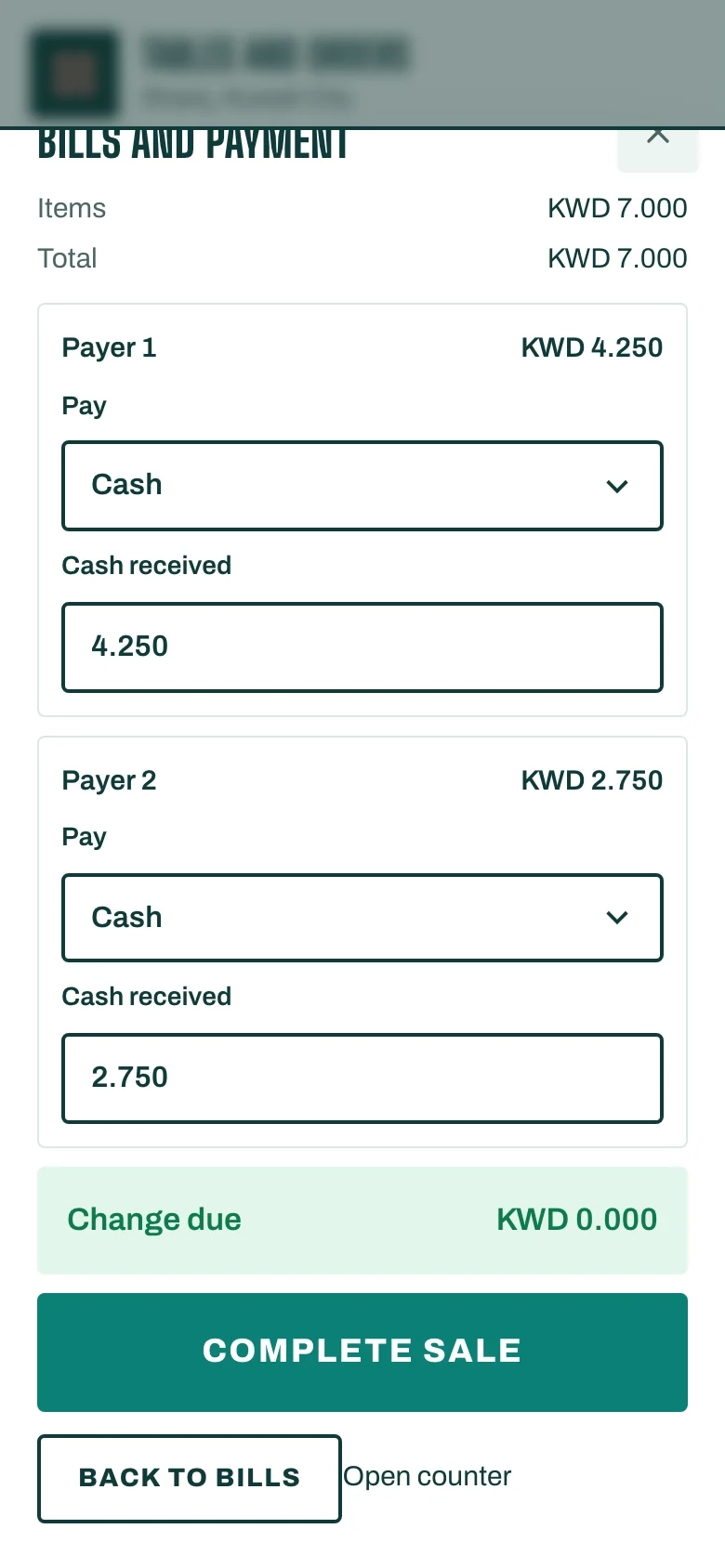
Take payment
- Tap Review payment. You see the Items, any Service charge and the Total.
- Take the payment as on the Till (see Take a card payment). For a split bill, give each payer a Payment method that matches their share, then tap Take all payments.
- Add a Tip if the guest leaves one: a Tip on card or a Cash tip to staff.
- Tap Open receipt to print or send the receipt.
If your plan has QR ordering and pay, tap Guests pay at the table instead: the bill goes to the table's code, and guests split and pay on their phones.
If the counter shift isn't open yet, STAK asks for the Opening cash first: enter it and tap Open counter shift.
Finish and clear the table
- When every dish is billed and paid and every ticket served, tap Finish service.
- The table shows Paid, needs clearing. Once it is clean, tap Table cleared and ready. The table is Free again.