

Write a visit note
Record the visit in four parts, add diagnosis codes, and sign it so it becomes part of the patient's file.
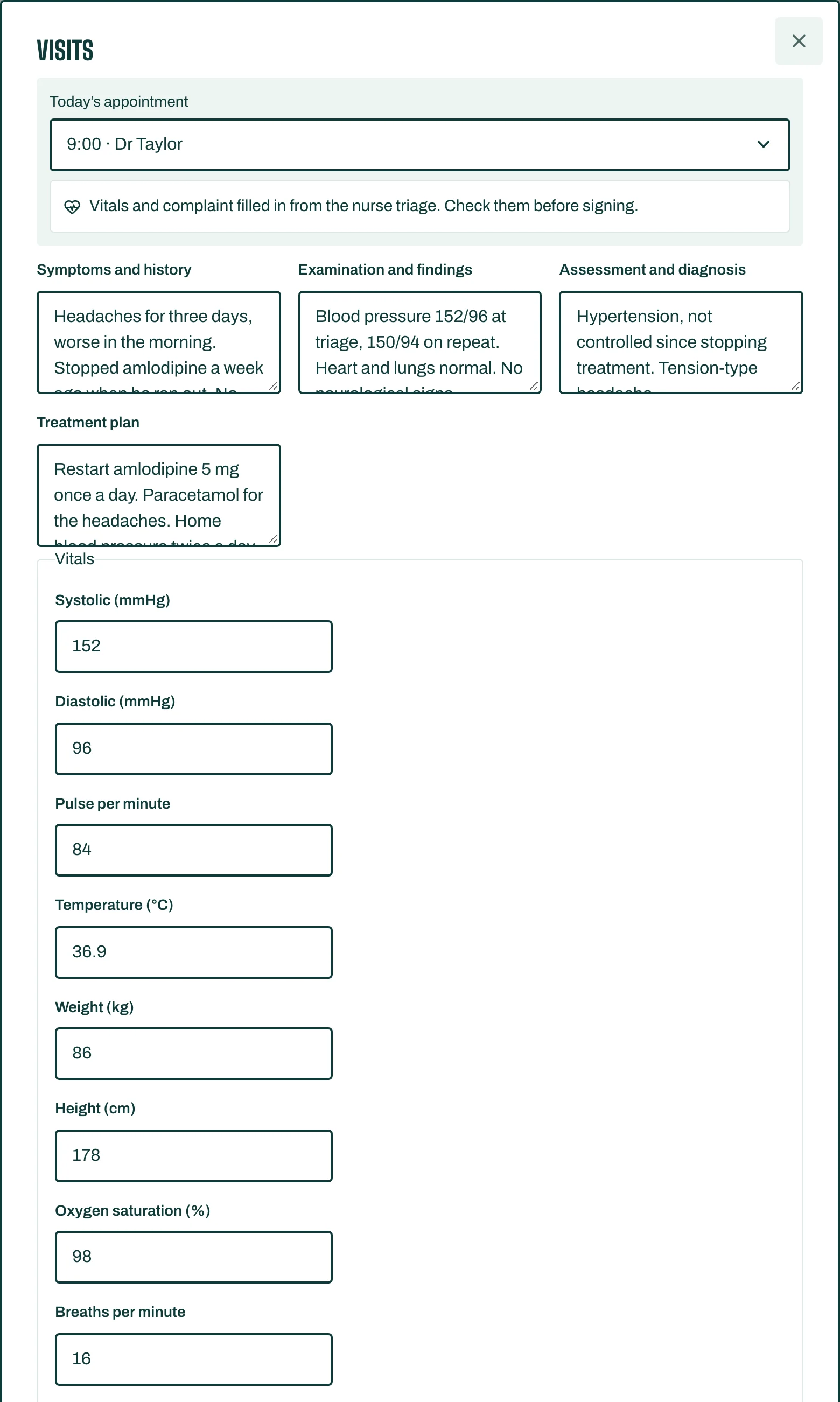
- Open the patient's file and, on Visits, tap New visit. If the patient has an appointment today, the visit links to Today's appointment.
- If the nurse did triage, the Vitals and complaint are already filled in: check them before signing.
- Choose a Specialty template if you use one. No template (free text only) is fine too.
- Write the four parts:
- Symptoms and history,
- Examination and findings,
- Assessment and diagnosis,
- Treatment plan.
- Under Diagnoses, type in Find a diagnosis (ICD-10) (a code or plain words) and tap Add. Add Procedures the same way.
- Set a Follow-up date if the patient should come back.
- Tap Save and sign visit.
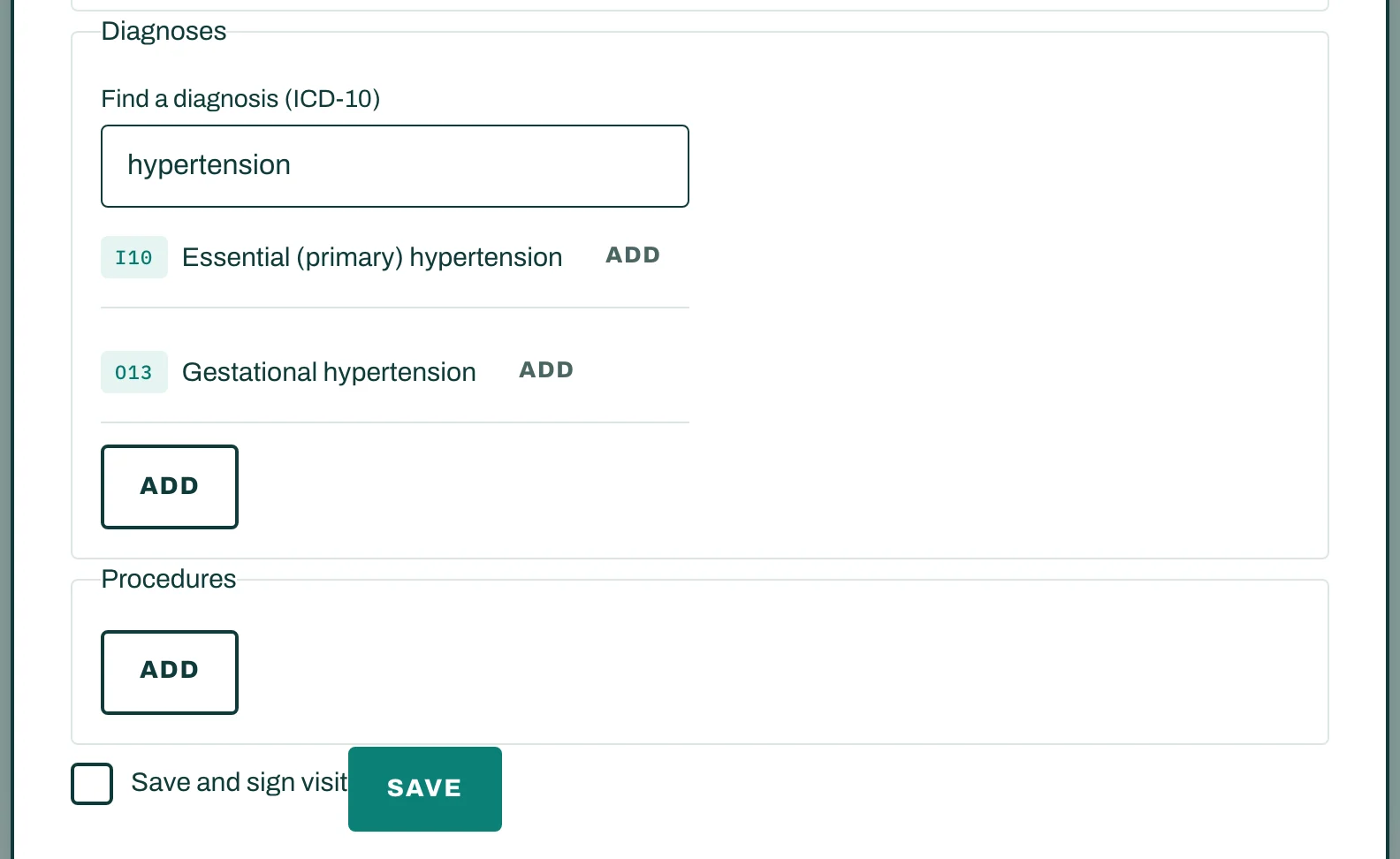
Once signed, a visit can't be changed. To correct it, add an Amendment.
Save time
- Copy last note starts a draft from the latest signed note, without its vitals, charges or follow-up date.
- Under Clinic templates, tap New template to build your own sections and fields.
Notes to sign
Sign-off lists My unsigned notes, and, for supervisors, Waiting for my co-signature. A supervisor taps Co-sign, or Return for changes with a comment.
After the visit
- Add Materials and charges for the desk to bill (see Bill the visit).
- Write a prescription (see Write a prescription).
- Issue a sick leave or medical certificate (see Issue a certificate).