

Issue a certificate
Issue sick leave, fitness or attendance certificates from a signed visit, with a code anyone can scan to check them.
Certificates come from a signed visit. Each one carries a QR code anyone can scan to check it is real.
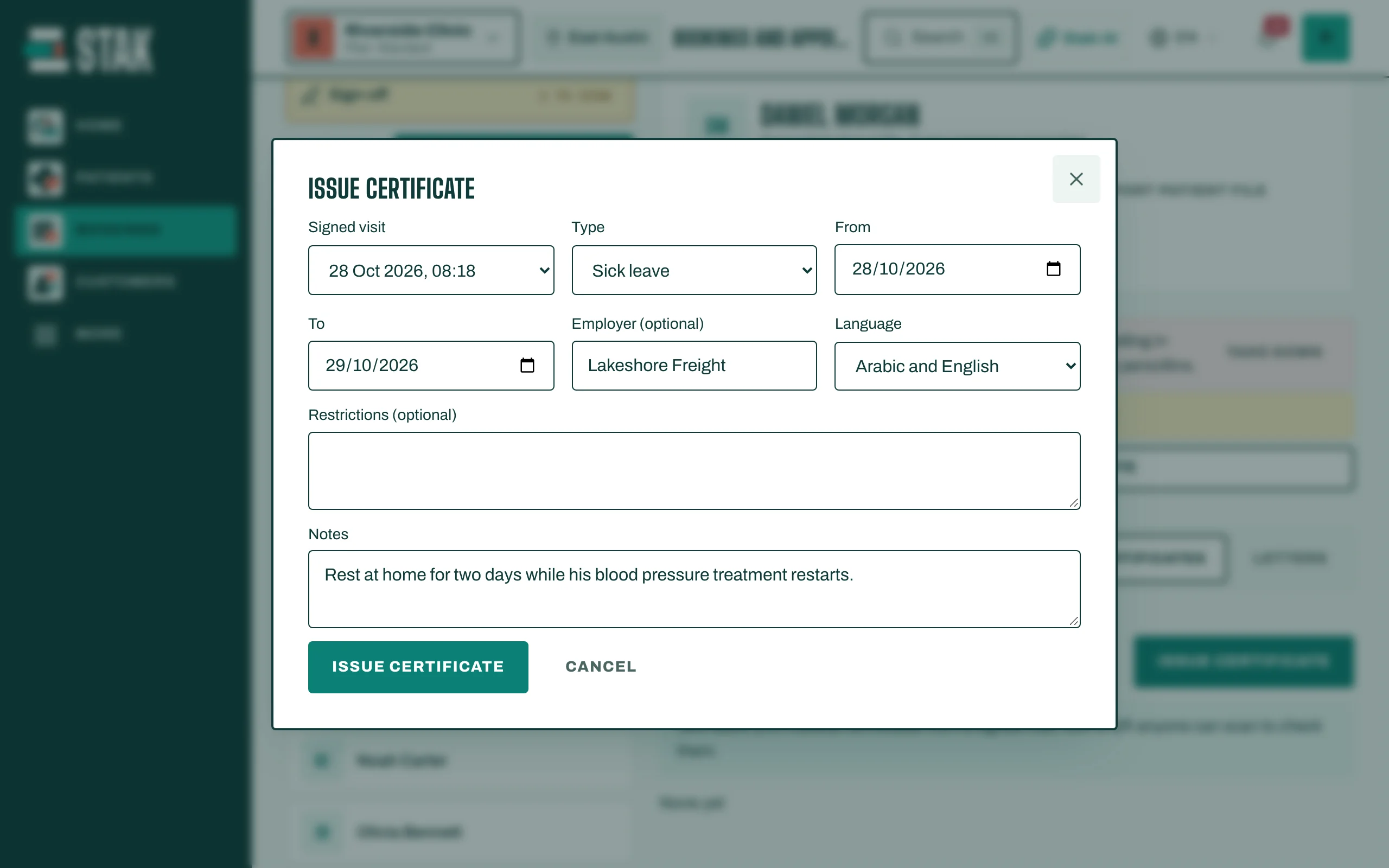
- In the patient's file, open Certificates and tap Issue certificate.
- Choose the Type: Sick leave, Fitness certificate, Attendance certificate or Medical report.
- Choose the Signed visit it comes from.
- For sick leave, set From and To. Add the Employer (optional) and any Restrictions (optional).
- Choose the Language: Arabic, English or Arabic and English.
- Tap Issue certificate, then Download PDF to print or send it.
Revoke a certificate
If a certificate was issued by mistake, tap Revoke and give the Reason for revoking. It then shows Revoked, and anyone who scans its code sees that it is no longer valid.
Letters
For referral letters, medical reports and aftercare instructions, open Letters and tap New letter. Sign it with Sign the letter, then Share with the patient or Print.