

Close your shift
Count the drawer, explain any difference and get the shift closing report.
Before you start
- Finish or hold the sale in the cart.
- Wait until every sale has been sent. If the Till shows sales waiting to send, keep it online for a moment.
Count and close
- Tap Close shift.
- Count the cash in the drawer. Type it in Counted cash.
- If your business uses blind counts, you see Counts are blind: expected cash shows after you submit your count. That's normal: you count first, then STAK shows what it expected.
- If the count doesn't match, write the Reason for the difference, and anything else in Note.
- Tap Close shift.
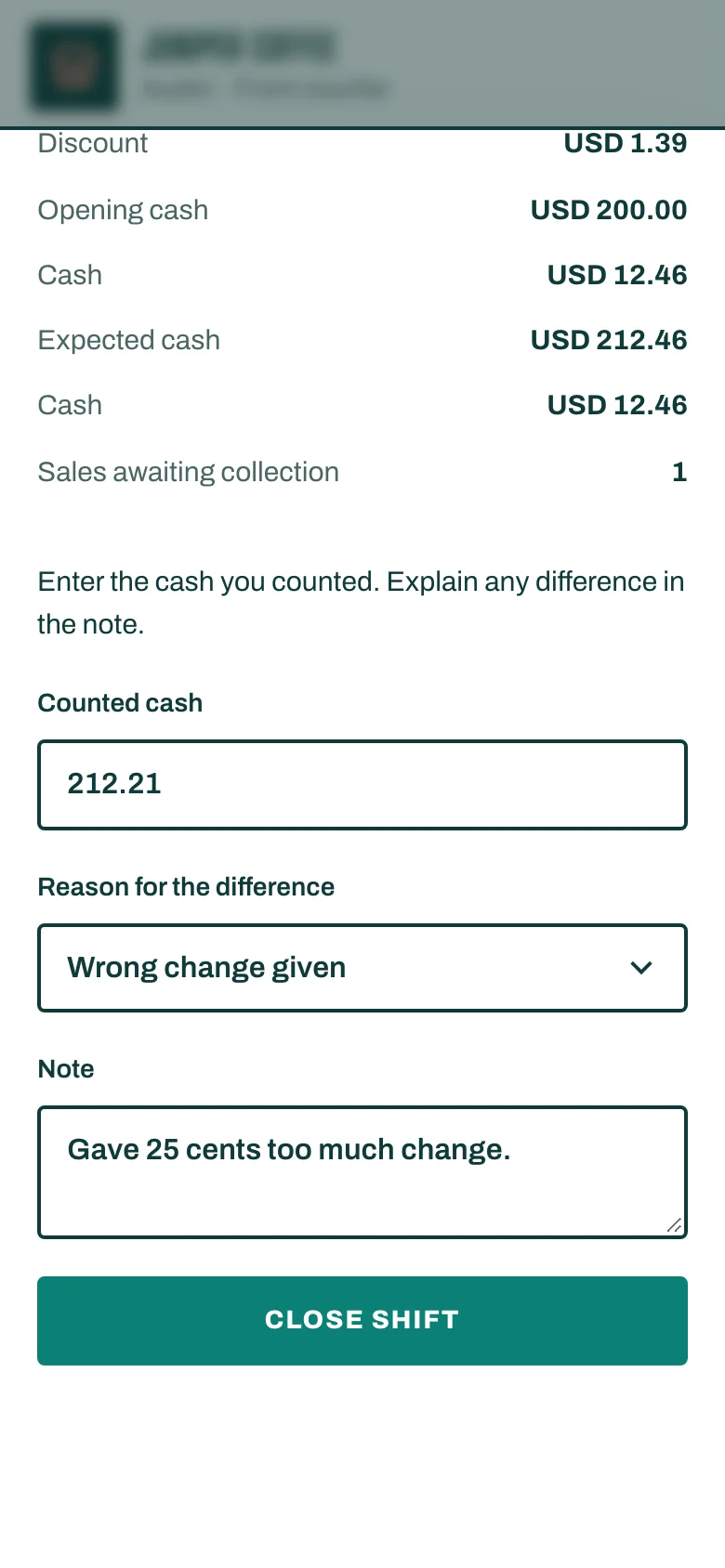
If the business requires it, a large difference needs a manager. Tap Manager approval and the manager approves with their PIN or from their phone.
The shift closing report
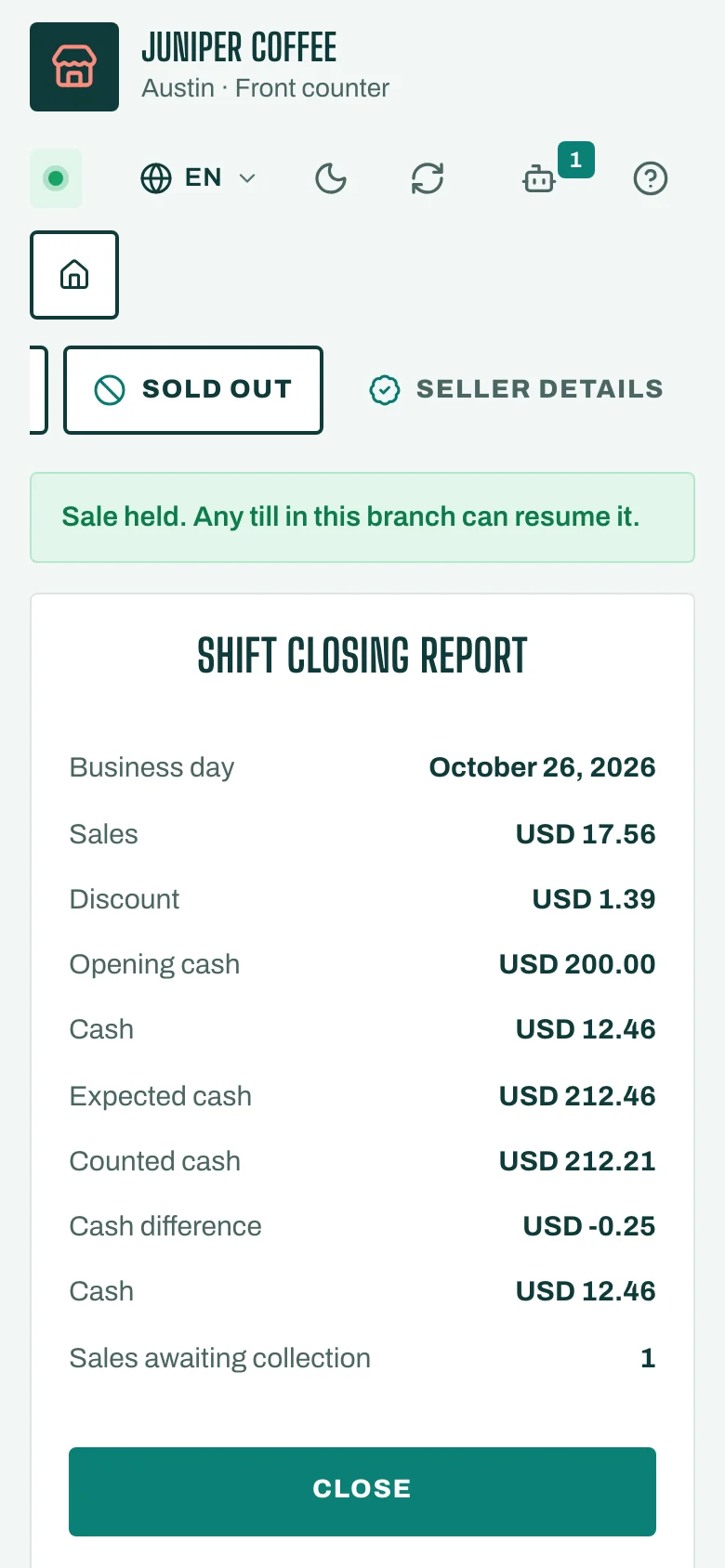
After you close, you get the Shift closing report. It shows the shift's Sales, Discount, Opening cash, Cash sales, any Pay-in, Pay-out or Safe drop, then Expected cash, Counted cash and the Cash difference.
Check the numbers, then tap Close. The Till is ready for the next shift.
During the shift
To put cash in or take it out without a sale, tap Cash drawer and record a Pay-in, Pay-out or Safe drop. To check the numbers so far without closing, open the X report (shift so far) there.