

Plan the weekly roster
Put shifts on the week, publish them to your team, and let staff swap or pick up open shifts.
Build the week
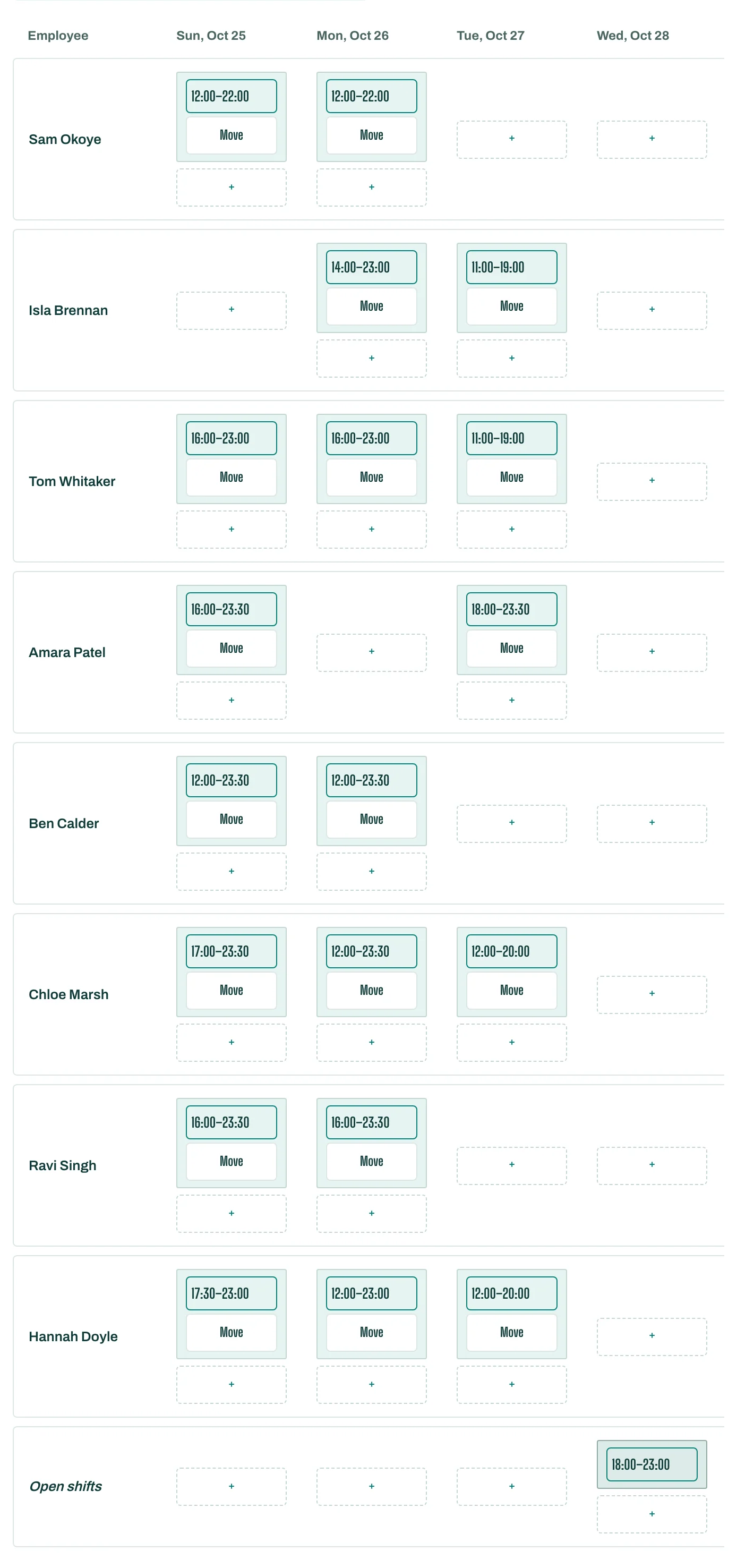
- In People, open the Weekly roster. Move between weeks with Previous week and Next week.
- Tap Add shift on a person's day and set when it Starts at and Ends at.
- Add an Add open shift for a shift nobody has yet; staff can take it themselves.
- Drag a shift to another person or day to move it.
New shifts stay drafts until you publish. The roster also shows the week's Labour cost and Labour % of sales.
Publish it
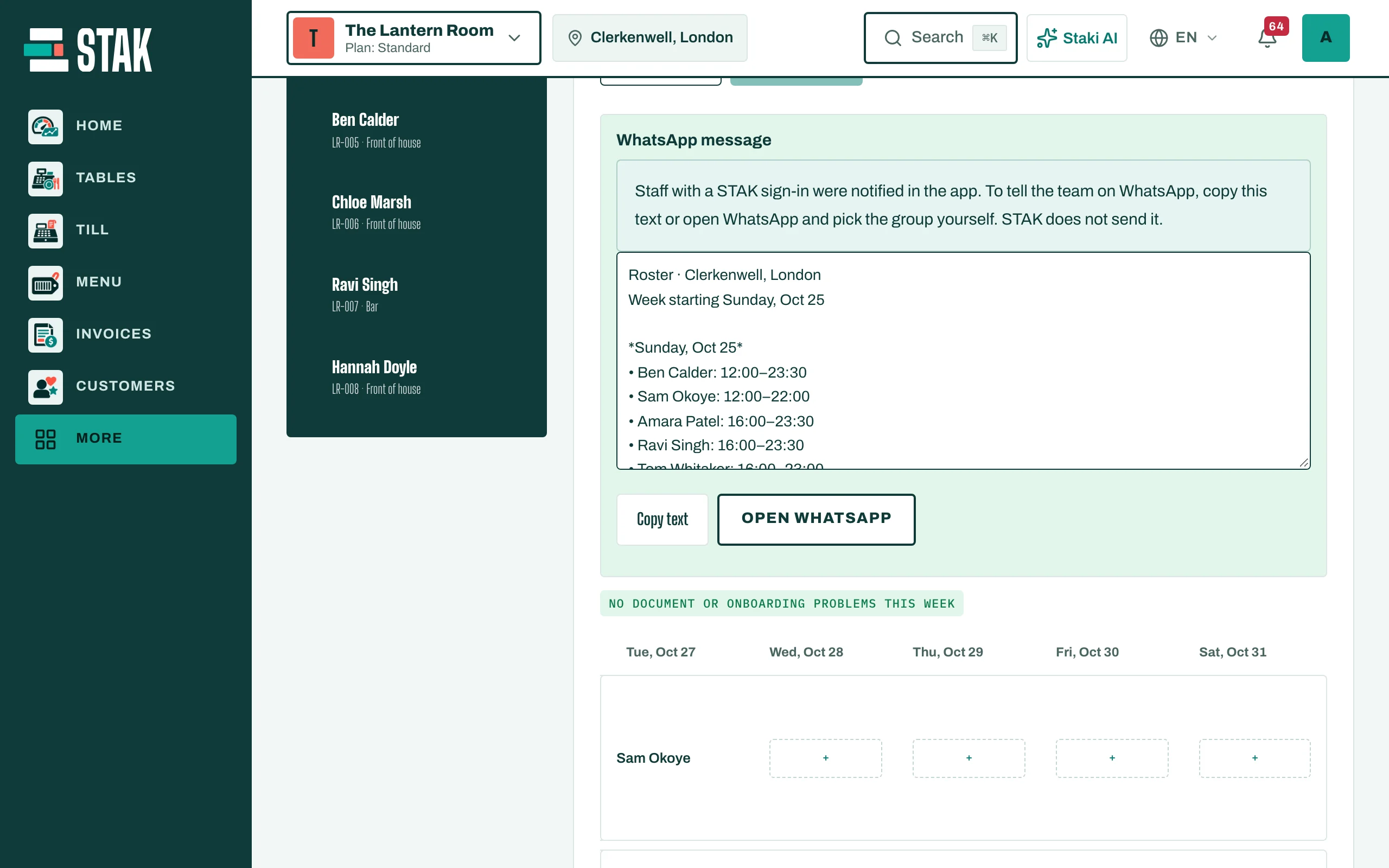
Tap Publish week. Staff with a STAK sign-in are notified in the app. To tell the team on WhatsApp too, copy the WhatsApp message or tap Open WhatsApp and pick your group.
If you change a published week, tap Publish changes so the people affected are told.
Save time next week
Tap Save this week as a template. Next time, open Templates and tap Apply to this week.
Swaps and open shifts
Staff see My shifts and Team this week. They can Ask to swap with a colleague, or Take this shift from Open shifts you can take. You approve swaps under Swap requests.