

Request and approve leave
Staff ask for leave, a manager approves it, and the balance updates by itself.
Ask for leave
- Open My employee portal, then Leave.
- Choose the Leave type and the dates (Leave days).
- Send the request. It shows Requested.
Approve it
- In People, open the employee and go to Leave, or open the waiting requests.
- Check the dates against the roster and the Annual leave balance.
- Tap Approve. The request shows Approved, and the balance goes down.
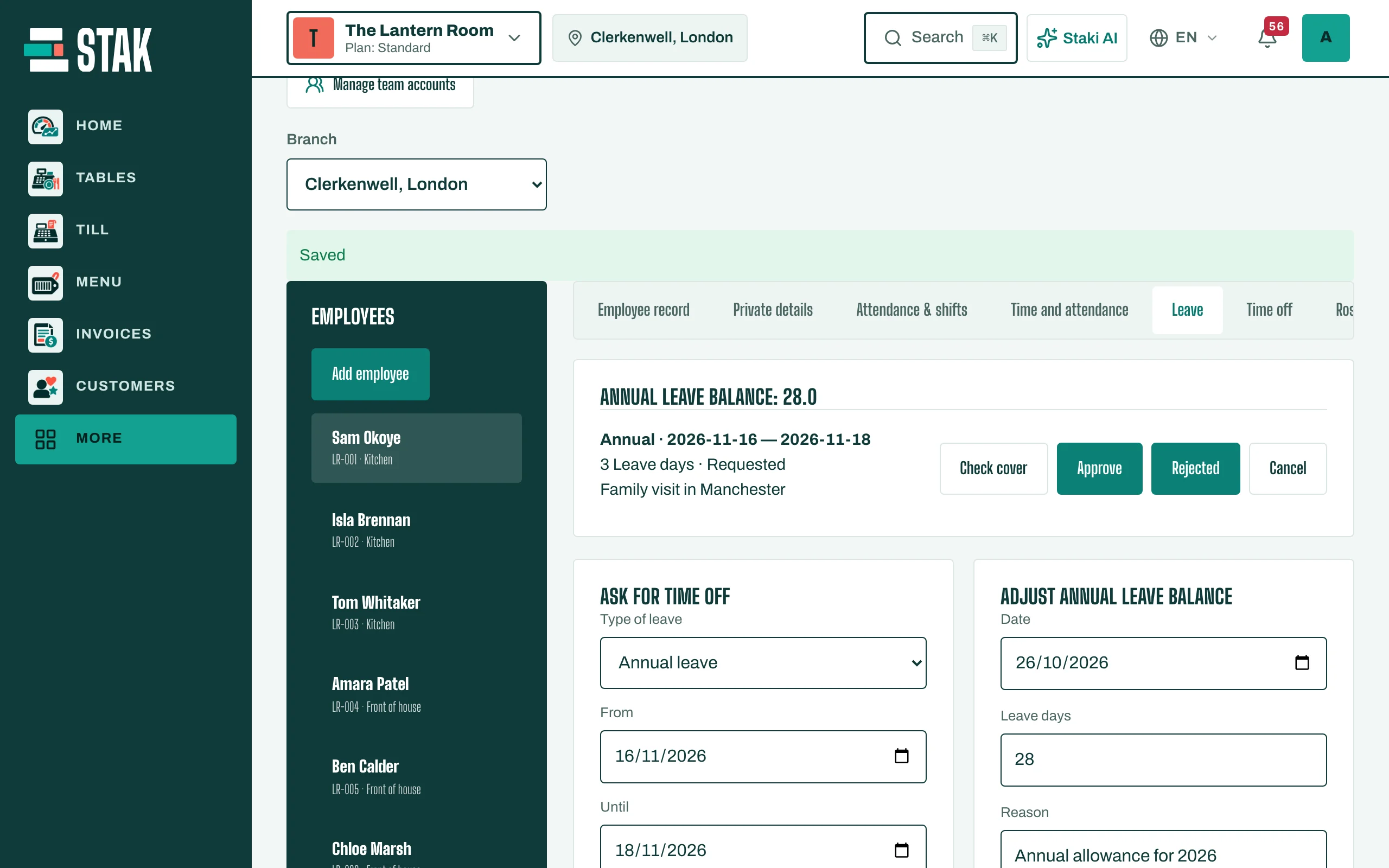
Some requests need a second approver: STAK shows Another authorized person must approve this leave request.
Correct a balance
To add carried-over days or fix a mistake, use Adjust annual leave balance on the employee and give a reason.