

Take payments online
Connect your own payment provider, approve its fees, and let customers pay by card or wallet at checkout.
Online payments go straight to your own payment account. STAK never holds your customers' money or card details.
Connect a payment provider
- In Store, find Approve online payment fees.
- If it says Add a payment provider in payment settings., tap it and connect the provider your business uses. You need your own account with that provider.
- Come back to Store.
Turn on online payment
- Under Payment method, choose your provider.
- Read the fees shown for each method, then tick I approve the displayed fees, paid by the business, for each payment method.
- Tap Save settings.
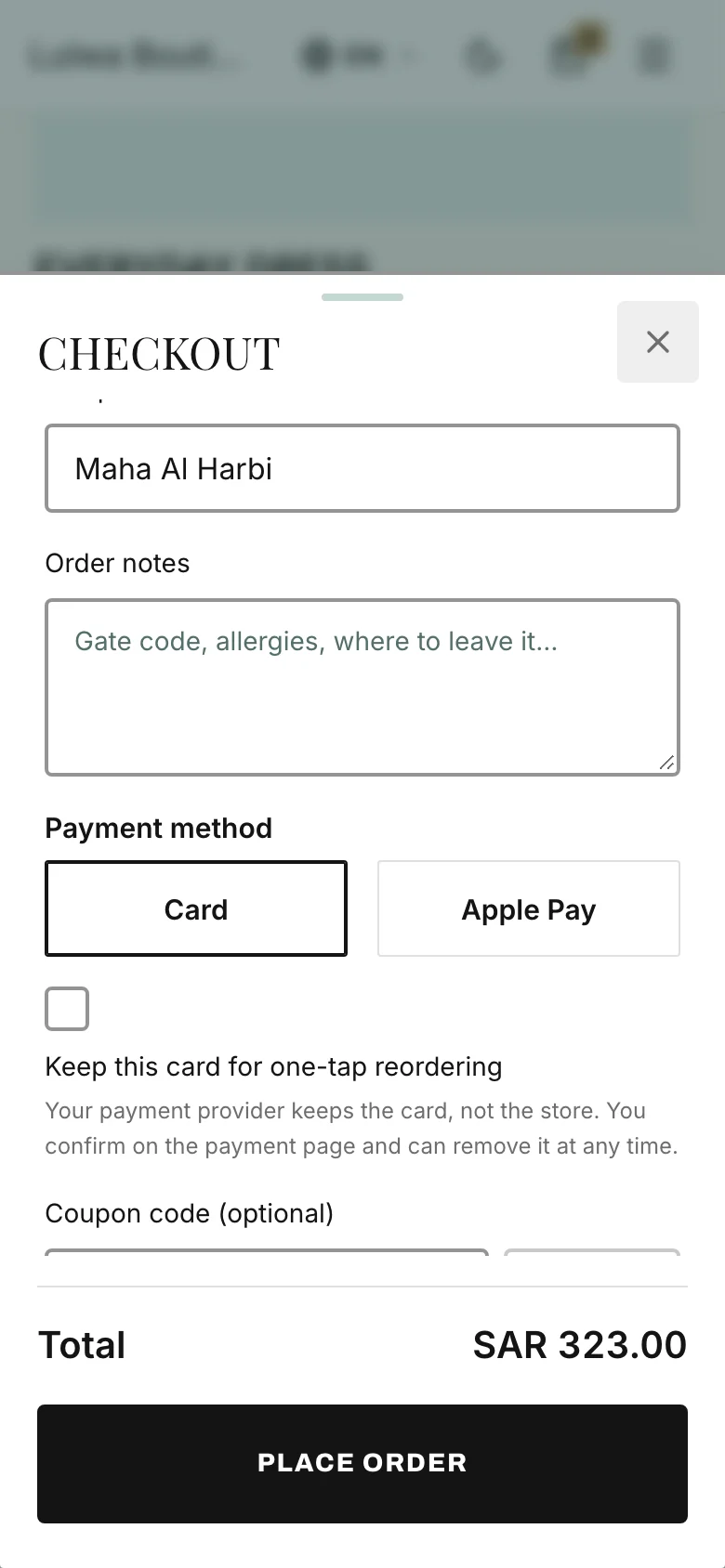
Customers now see Continue to payment at checkout, with the card and wallet methods your provider offers in their country (for example Apple Pay or Google Pay).
Without online payment
You can still take orders. Leave Payment method on Not enabled, and customers can:
- pay on delivery or when they collect, if you turn that on, or
- Arrange payment on WhatsApp: STAK saves the order as unpaid and opens a WhatsApp message for the customer to send you.
When you receive that money, record it on the order. See Handle an order.
Good to know
If the provider changes its fees, the store asks you to approve them again before taking more online payments.