Get started with your online store
Name your shop, choose what it sells and how customers get their orders, then publish it.
Your online store is your own shop on the web, at your own address (for example `your-shop.staki.co`). Customers order from their phone; you follow every order in STAK.
Set up the shop
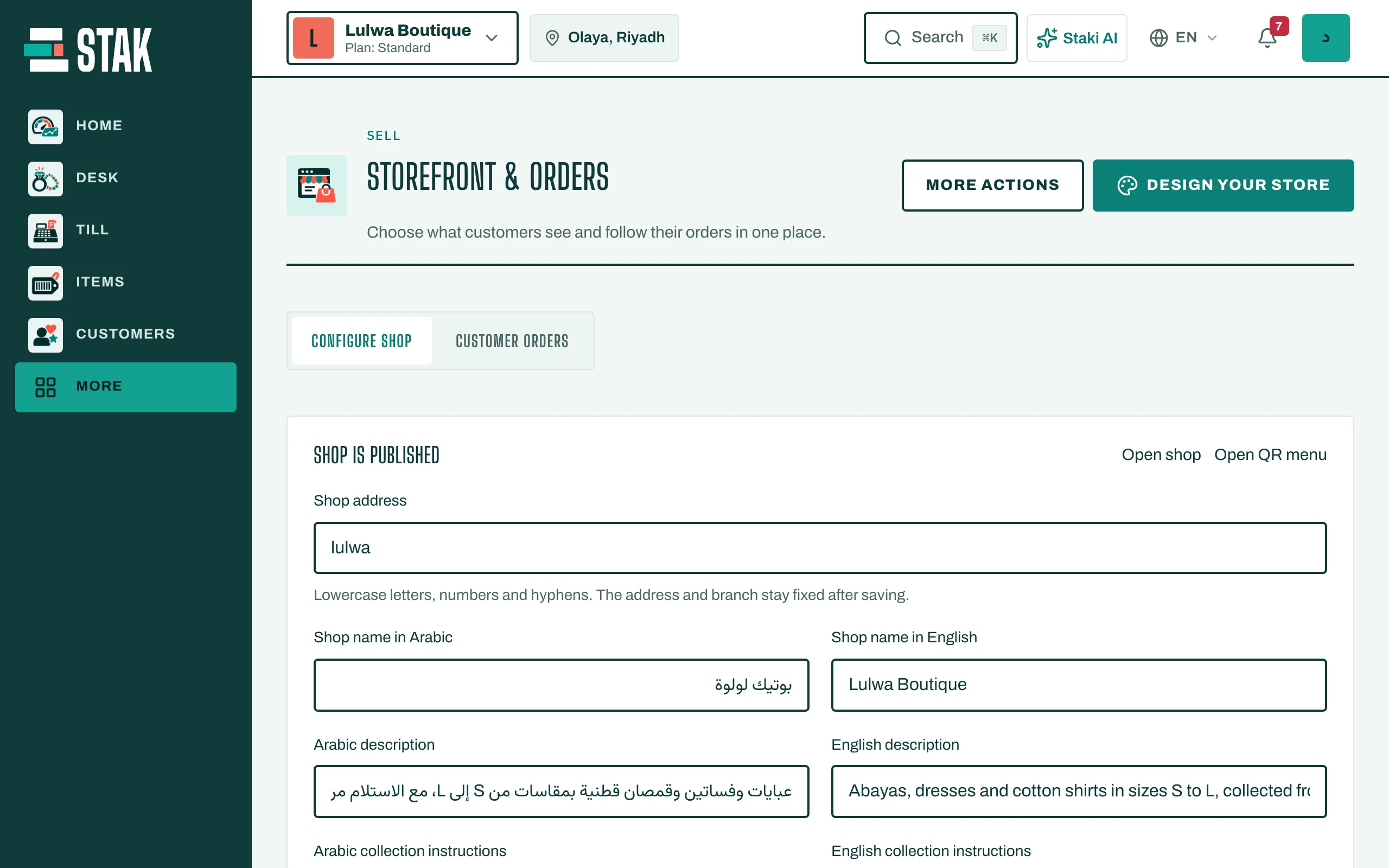
- Tap Store in the menu. You see Storefront & orders.
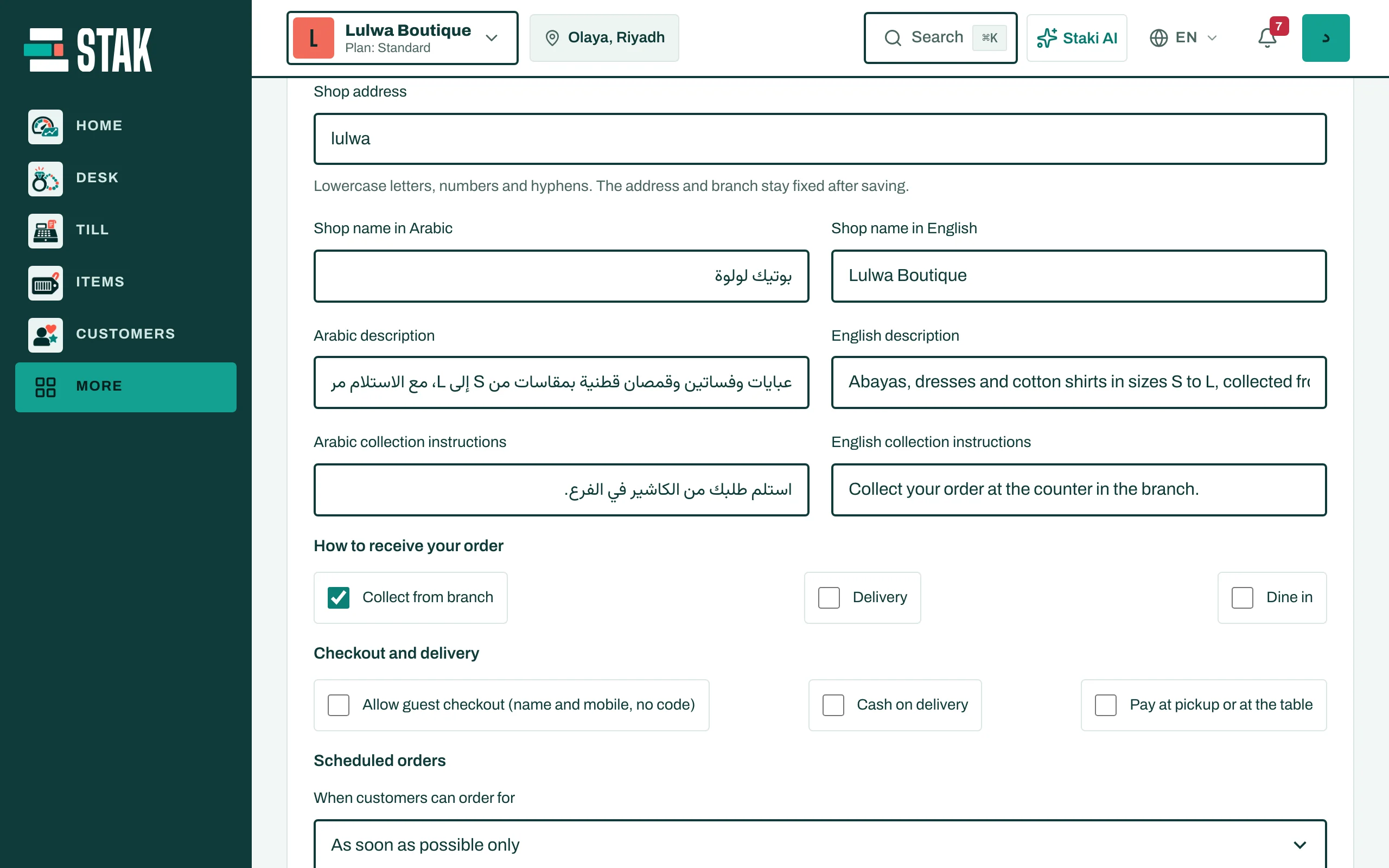
- Fill in the shop's name.
- Choose the Shop address: lowercase letters, numbers and hyphens. The address can't change after you save, so pick it with care.
- Under How to receive your order, tick what you offer: Delivery, Collect from branch, or Dine in.
- Add a WhatsApp number for orders if customers should reach you there.
- Tap Save settings.
Choose what the shop sells
Products show to customers only after you choose them.
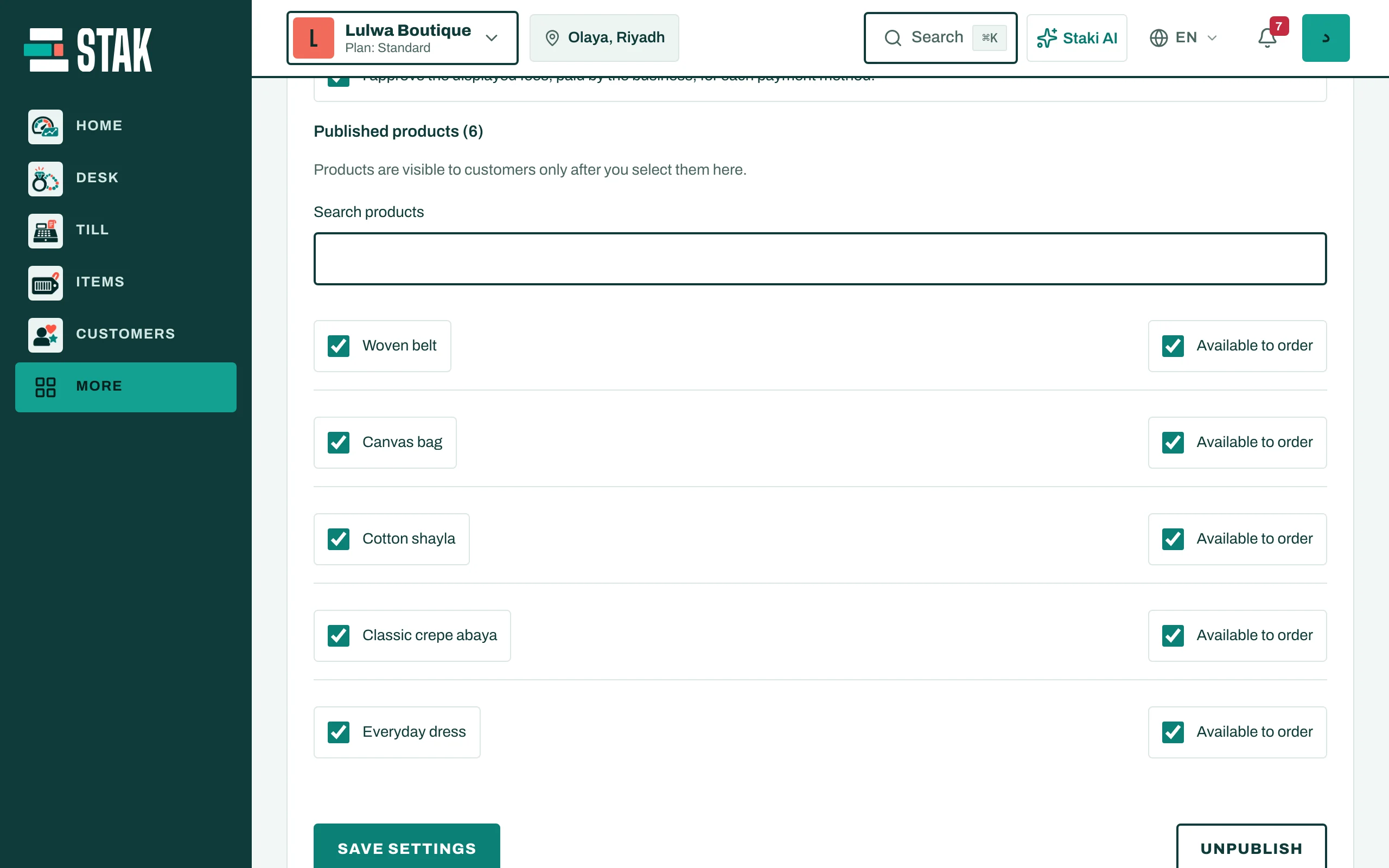
- Go to Published products.
- Search for products and tick the ones to show. Each one shows whether it is Available to order.
- Tap Save settings.
If you don't have products yet, see Add a product with a photo.
Publish
- Tap Publish shop. The page shows Shop is published.
- Tap Open shop to see it the way your customers do.