

Set up delivery and collection
Choose how customers get their order, set delivery fees and minimums, and draw delivery zones.
Choose how customers get their order
- In Store, under How to receive your order, tick Delivery, Collect from branch, Dine in, or any mix.
- For collection, add Collection instructions, for example where to park.
- Tap Save settings.
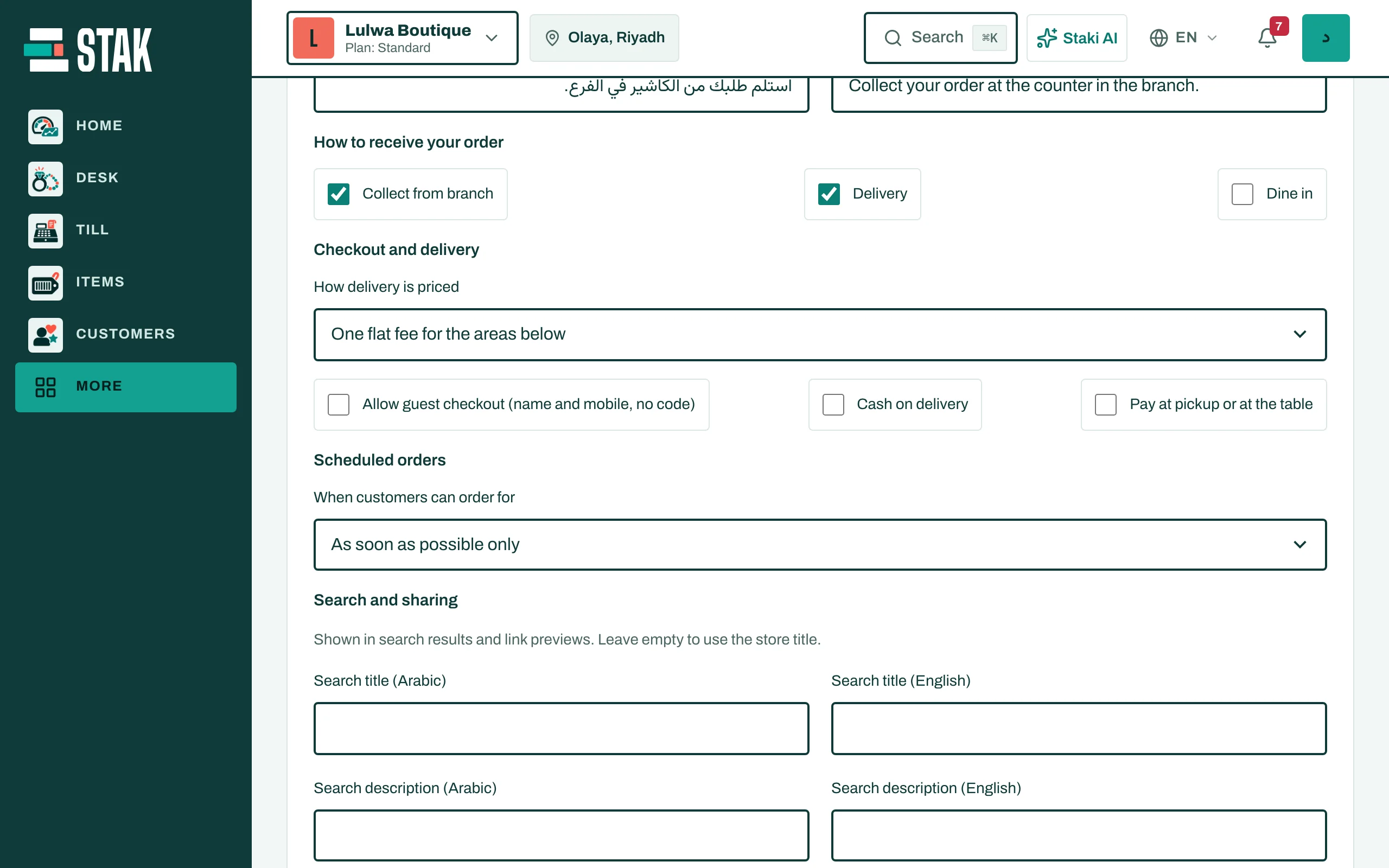
One delivery fee for your areas
The simplest setup: under Delivery areas, tick the areas you deliver to, then set the Delivery fee and the minimum order (Minimum items subtotal). Tap Save settings.
Delivery zones (different fees by area)
- In Store, open Photos and delivery zones.
- Under Delivery zones, tap Add zone.
- Name the zone and choose its Zone type:
- Area list: pick the areas in this zone,
- Map outline: draw it with points on the map,
- Distance from a point: a radius around your branch.
- Set the zone's Delivery fee, Minimum order, and the Fastest delivery and Slowest delivery times in minutes.
- Tap Save.
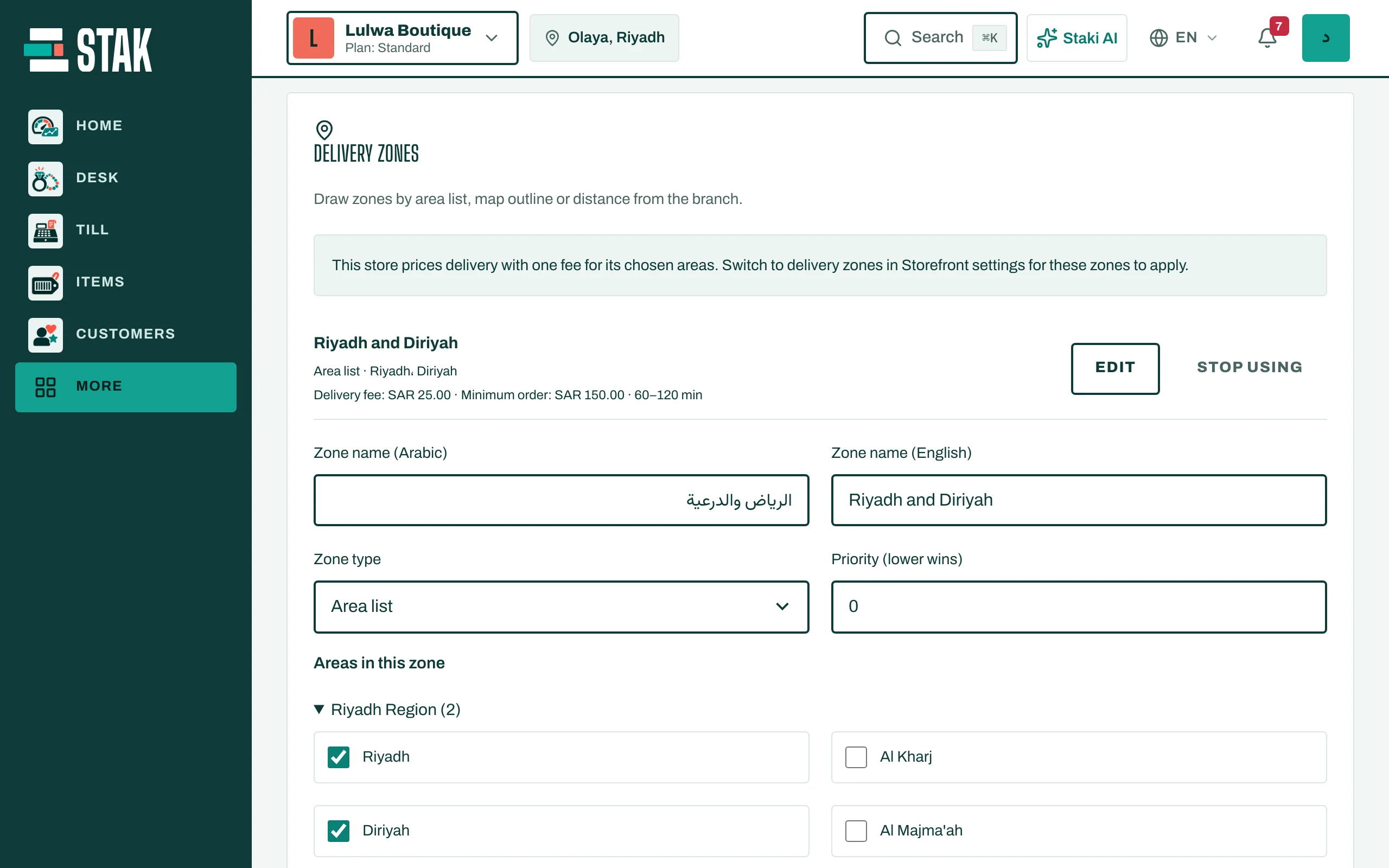
When zones overlap, the one with the lower Priority number wins. A store can have up to 50 zones; tap Stop using to retire one.
Orders for later
On the same page, scheduled orders let customers pick a time: as soon as possible only, a time they choose, or both. You set the slot length, how much notice you need, how many days ahead, and how many orders each slot takes.