

Void an invoice or give a credit
Cancel an invoice issued by mistake, or credit a customer for returned items or a refund.
An issued invoice is never deleted. You cancel it or credit it, and its history stays.
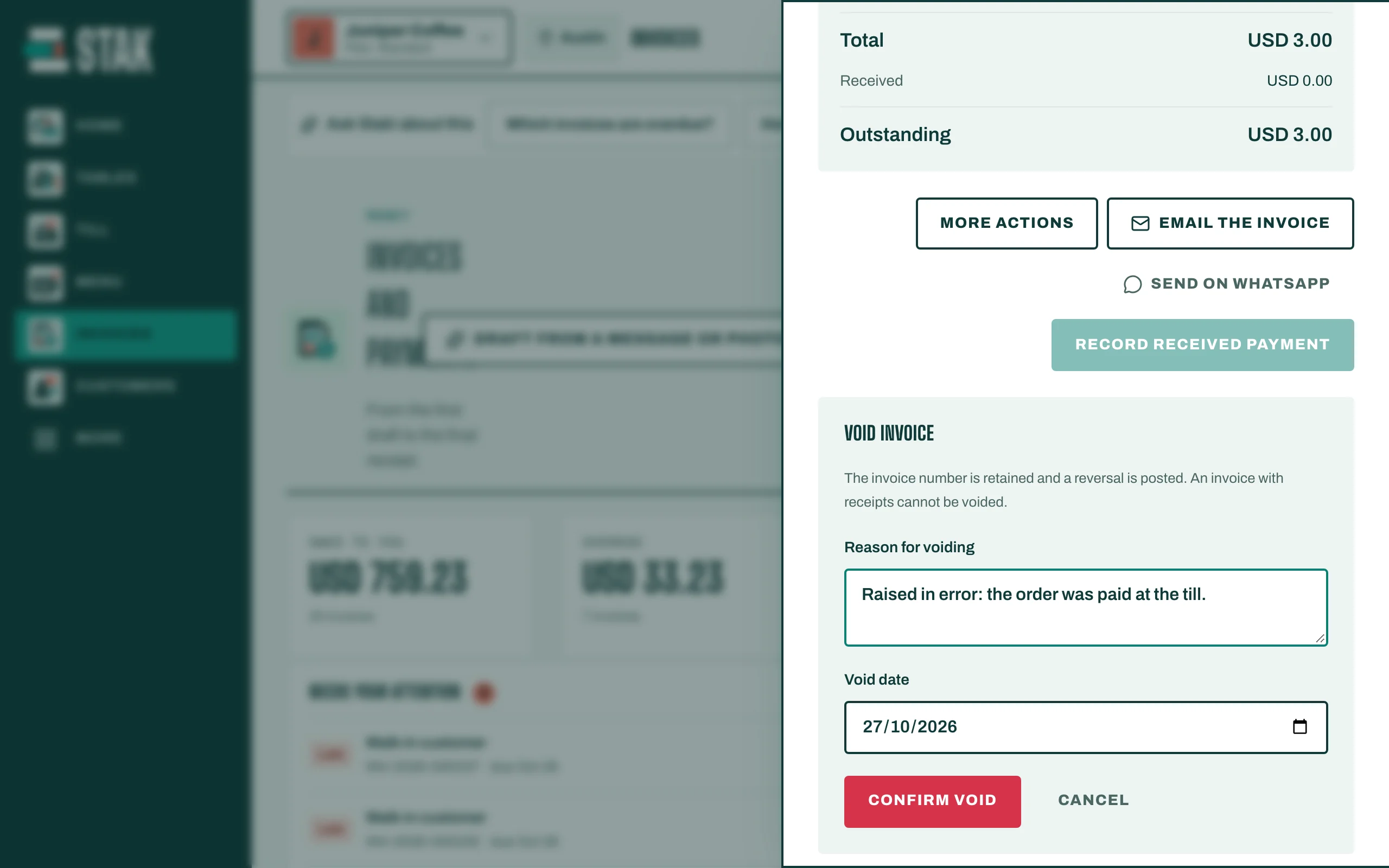
Void an invoice with no payments
Use this when an invoice was issued by mistake and nothing has been paid.
- Open the invoice and tap Void invoice.
- Write the Reason for voiding and check the Void date.
- Tap Confirm void. You see Invoice voided; its history is retained.
The invoice keeps its number and shows Voided, and a reversal is posted to your books.
Credit an invoice that has payments
An invoice that has received payments can't be voided. Instead:
- Open the invoice and tap Credit note or refund.
- The return screen opens for that invoice. Choose what you credit and how the money goes back to the customer.
- Complete it. A credit note is issued and linked to the invoice.
Drafts
A draft has no number yet. To put one away, tap Archive draft. Archived drafts can be brought back with Restore draft.