

Take bookings online
Publish your own booking page so customers pick a service, a person and a time themselves.
Your booking page lets customers book themselves, day and night. They choose a service, a staff member (or anyone), a time, and verify their phone number.
Set up the page
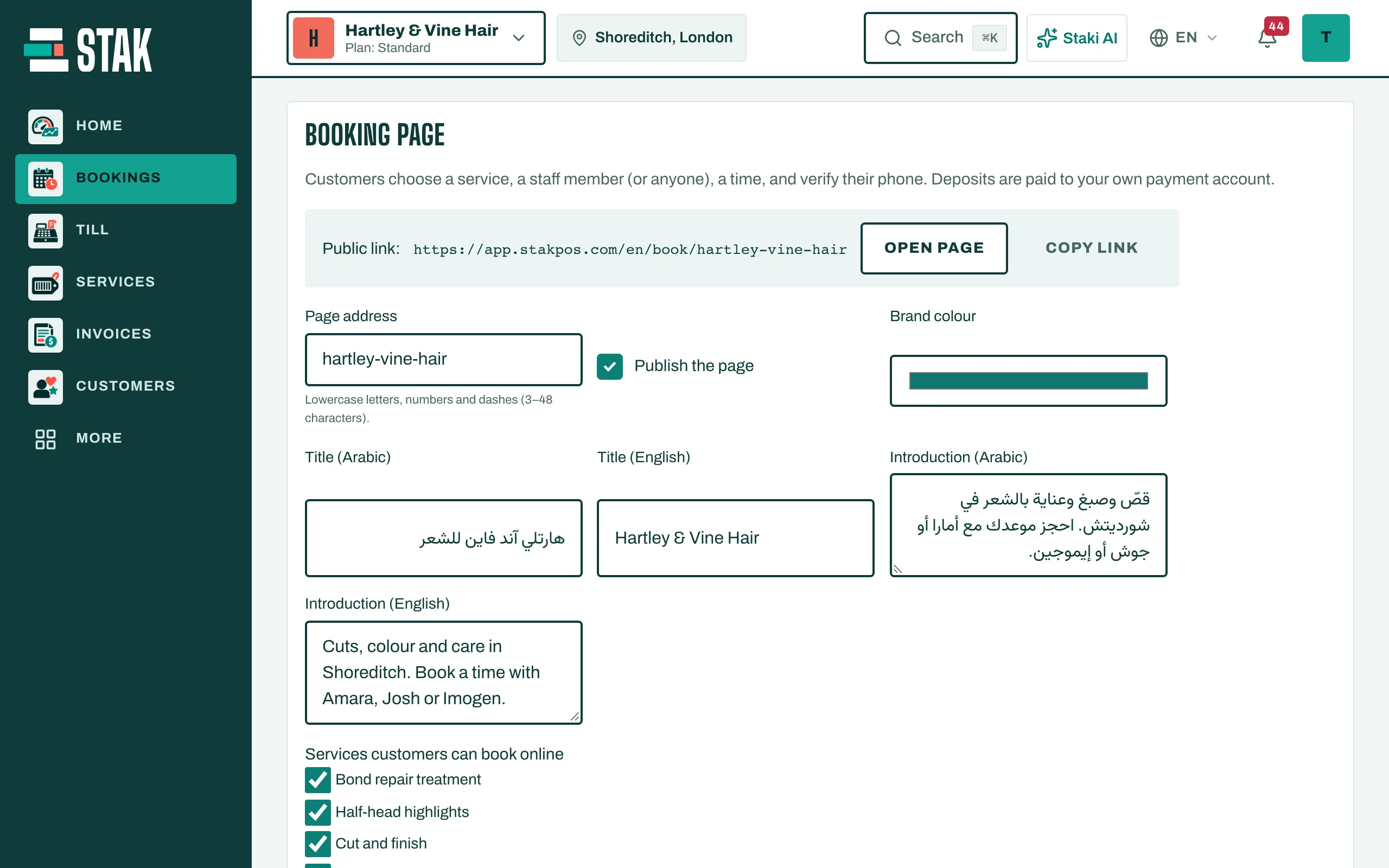
- In Bookings, open Online booking and front desk, then Booking page.
- Choose the Page address: lowercase letters, numbers and dashes.
- Add a title and an introduction in your languages, and your Brand colour.
- Under Services customers can book online, tick the services to offer. (Group classes and home visits are booked by staff, not online.)
- Choose whether to Let customers choose the staff member.
- Set Start times every (minutes), the Minimum notice (minutes), and how far ahead customers can book (Bookable up to (days ahead)).
- Tap Save.
Publish and share
- Tap Publish the page. It shows Published.
- Under Public link, tap Open page to see it, or Copy link to share it on WhatsApp, Instagram or your website.
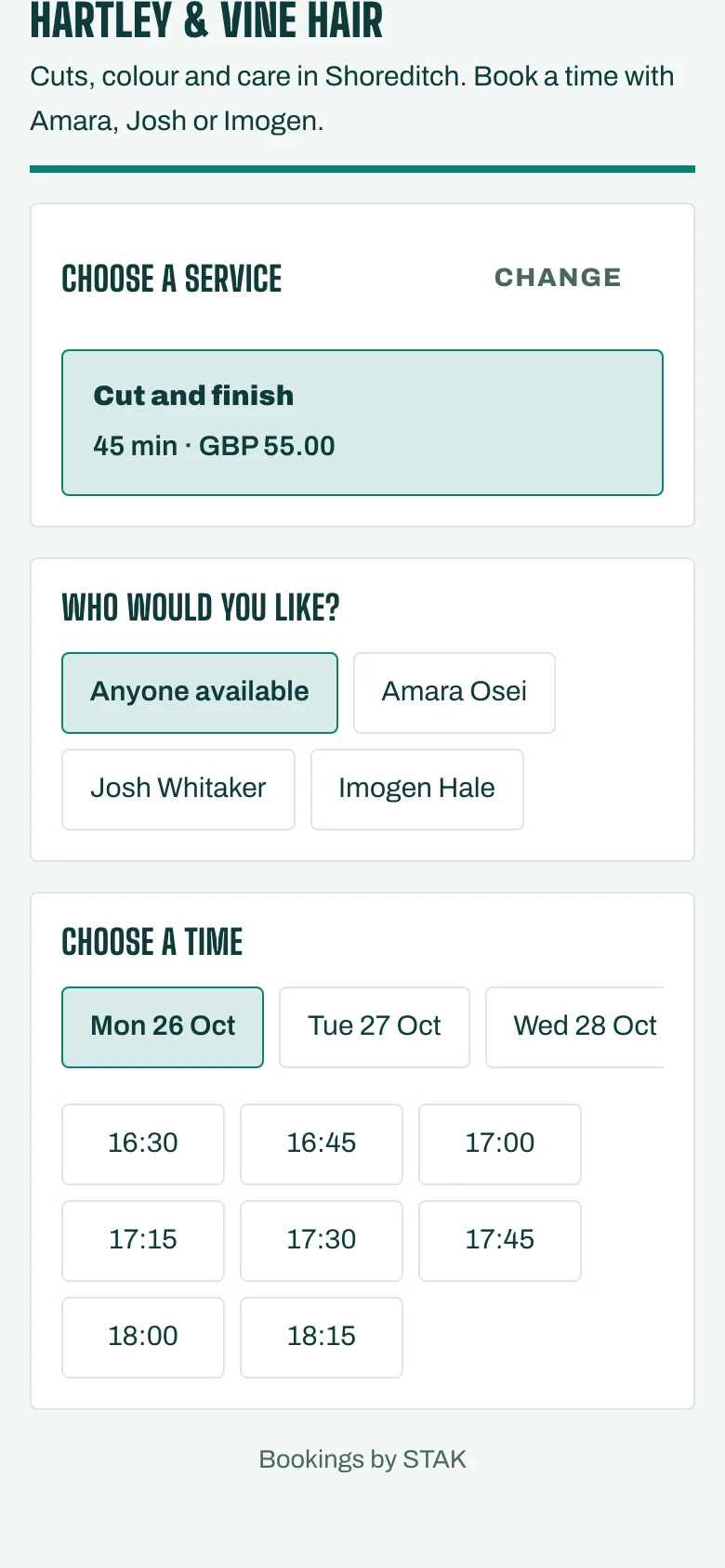
New online bookings appear on your calendar and in Online bookings.