

Send appointment reminders
Remind customers before their appointment and confirm each booking automatically.
Reminders cut no-shows. STAK sends them from your own WhatsApp or SMS sender.
- In Online booking and front desk, open Booking page and go to Reminders.
- Under Send reminders before the appointment (up to three), choose when, for example 24 hours and 2 hours before.
- Choose the Channel: WhatsApp, SMS, Email, or Automatic (the customer's choice, or email when WhatsApp isn't connected).
- Tick Send the customer a confirmation when a booking is made for an instant confirmation.
- Tap Save.
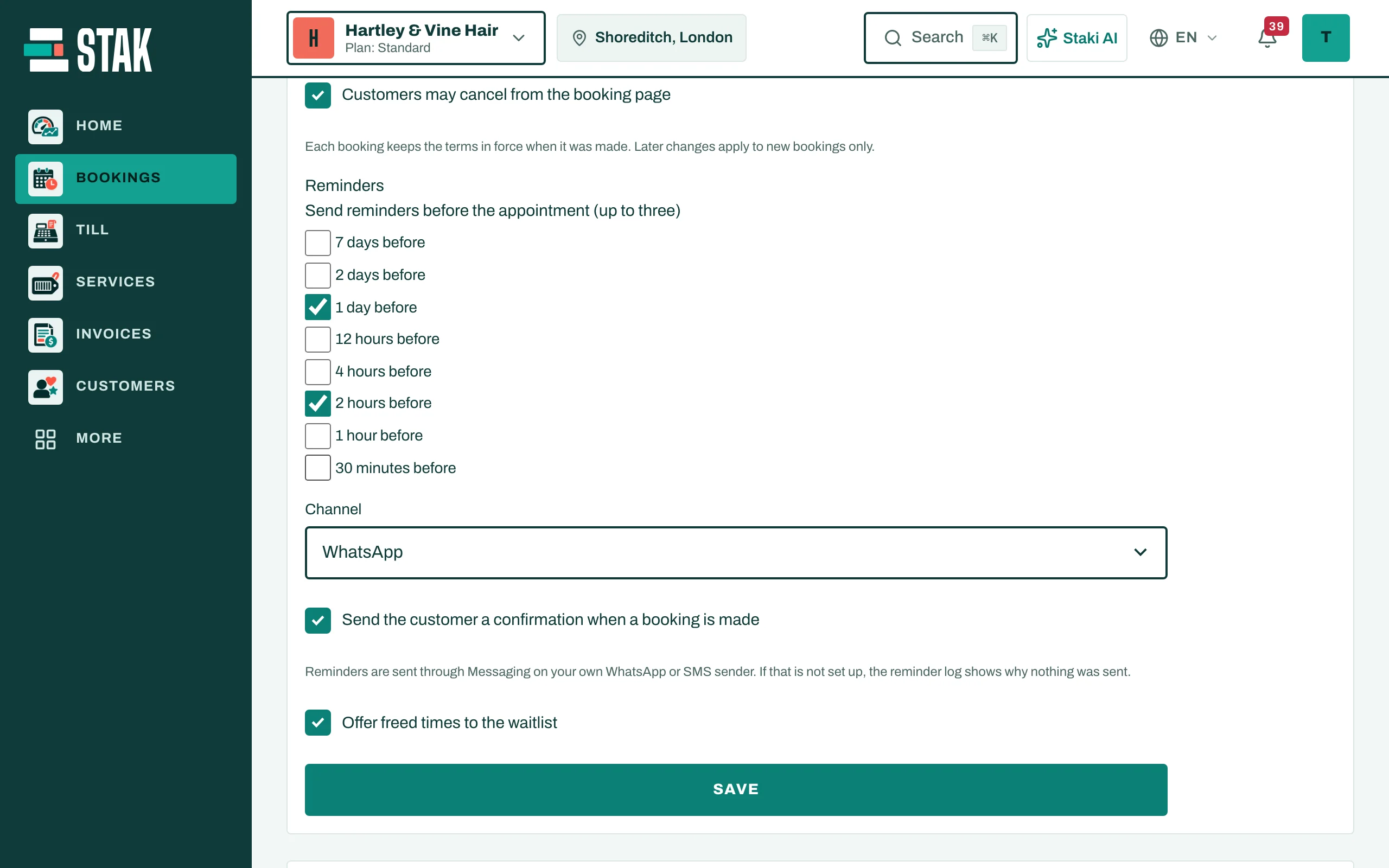
If your WhatsApp or SMS sender isn't set up yet, nothing is sent and the reminder log says why. Set up your sender in Messaging first.
Fill freed times
Tick Offer freed times to the waitlist. When someone cancels, customers on the waitlist are offered the free time.