

Book an appointment
Add a booking for a customer who calls or walks in, then move it with a drag if plans change.
- In Bookings, tap New appointment.
- Choose the Service, the Staff member and the Customer.
- Choose the Time. Only free times are offered: the staff member, room and equipment must all be available.
- Add a Booking note if useful, for example an allergy or a preference.
- Tap Save. The booking shows Confirmed on the calendar.
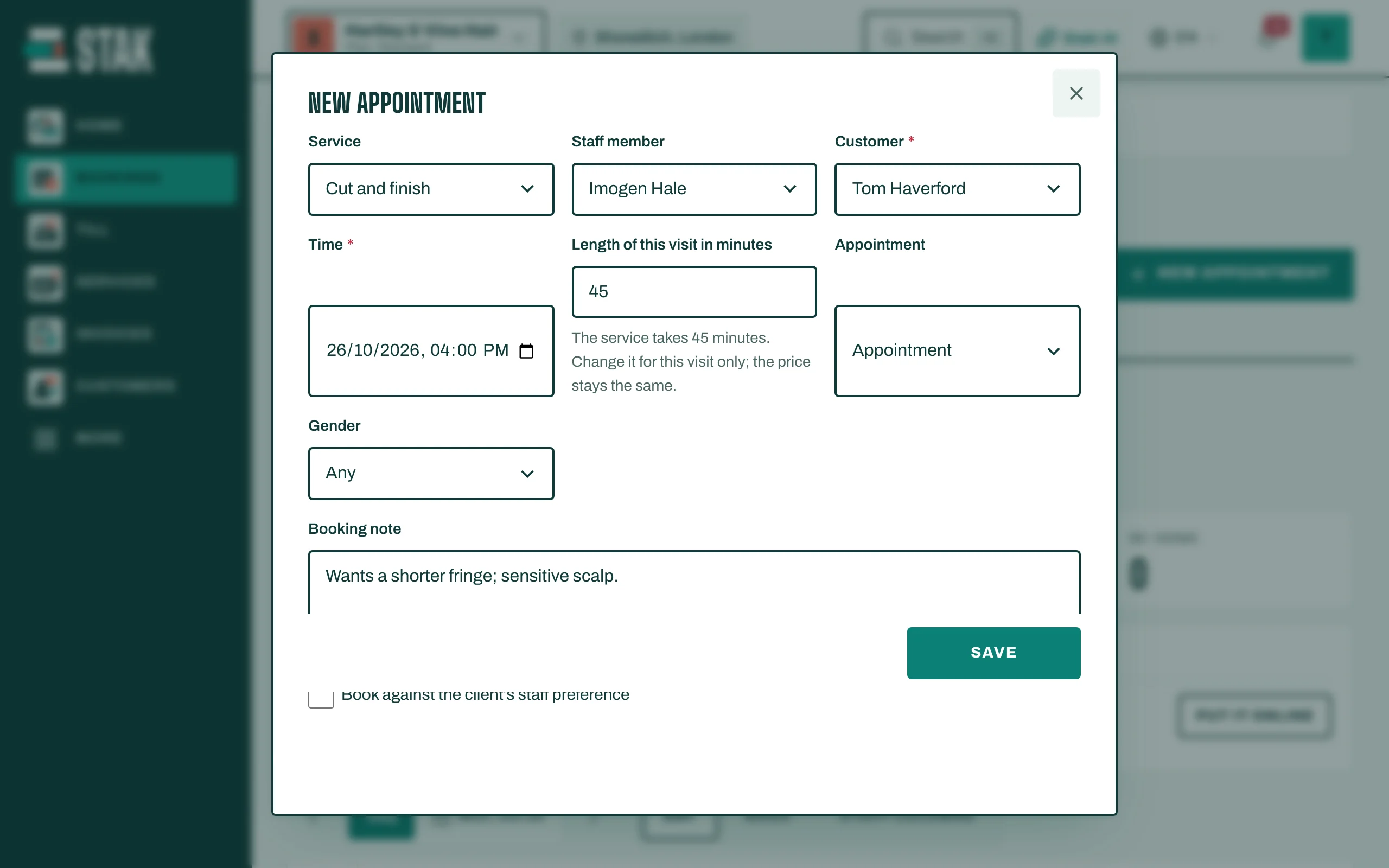
To make one visit longer or shorter, change Length of this visit in minutes. The price stays the same.
Move or stretch a booking
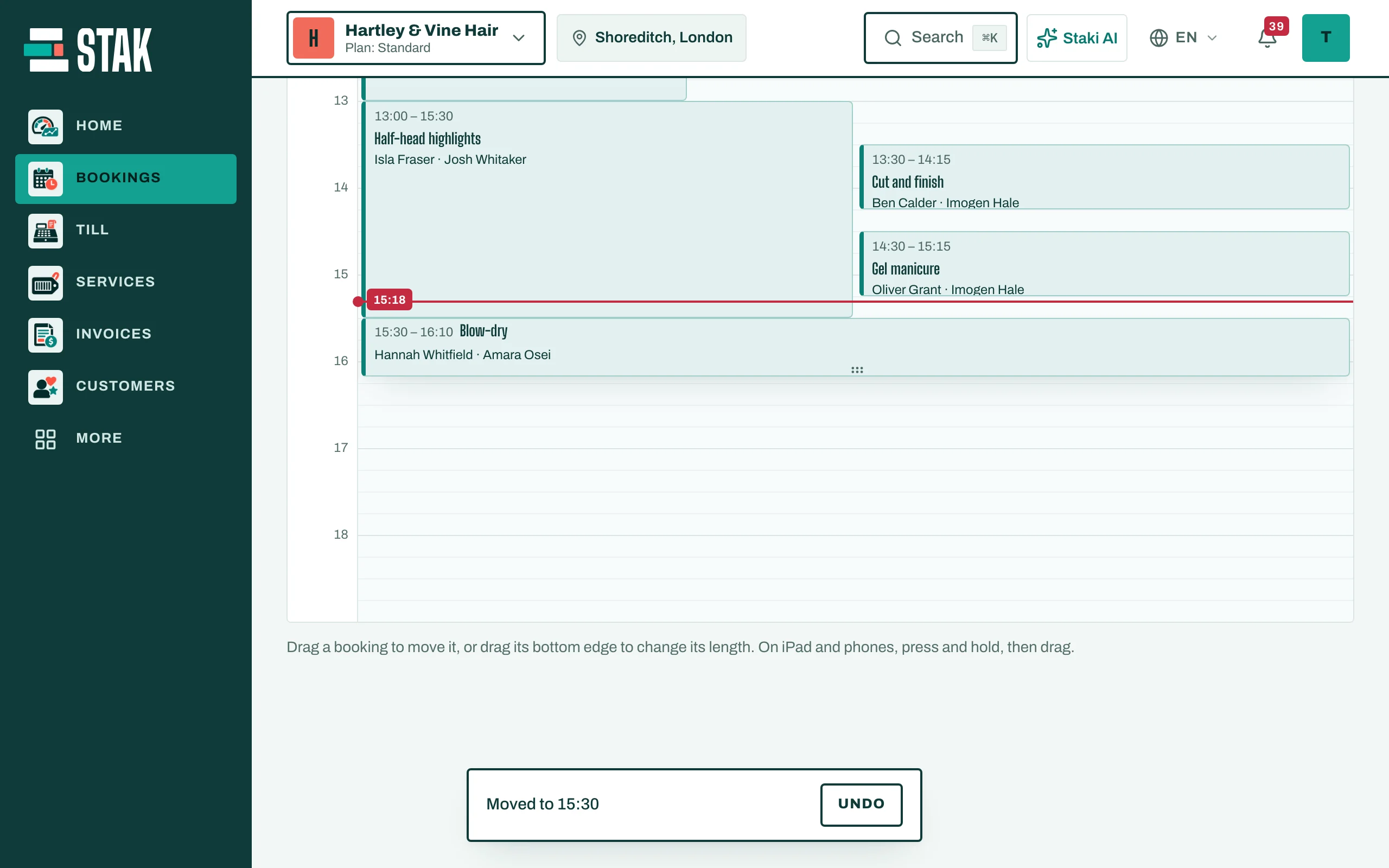
- Move: drag the booking to another time or another staff column.
- Change the length: drag its bottom edge.
On an iPad or phone, press and hold, then drag. The calendar shows Moved to the new time; tap Undo to put it back.
Change it
Tap the booking, then Edit appointment.