Set up loyalty points
Reward customers with points or cashback on every paid sale, spent as a discount at the till.
Turn it on
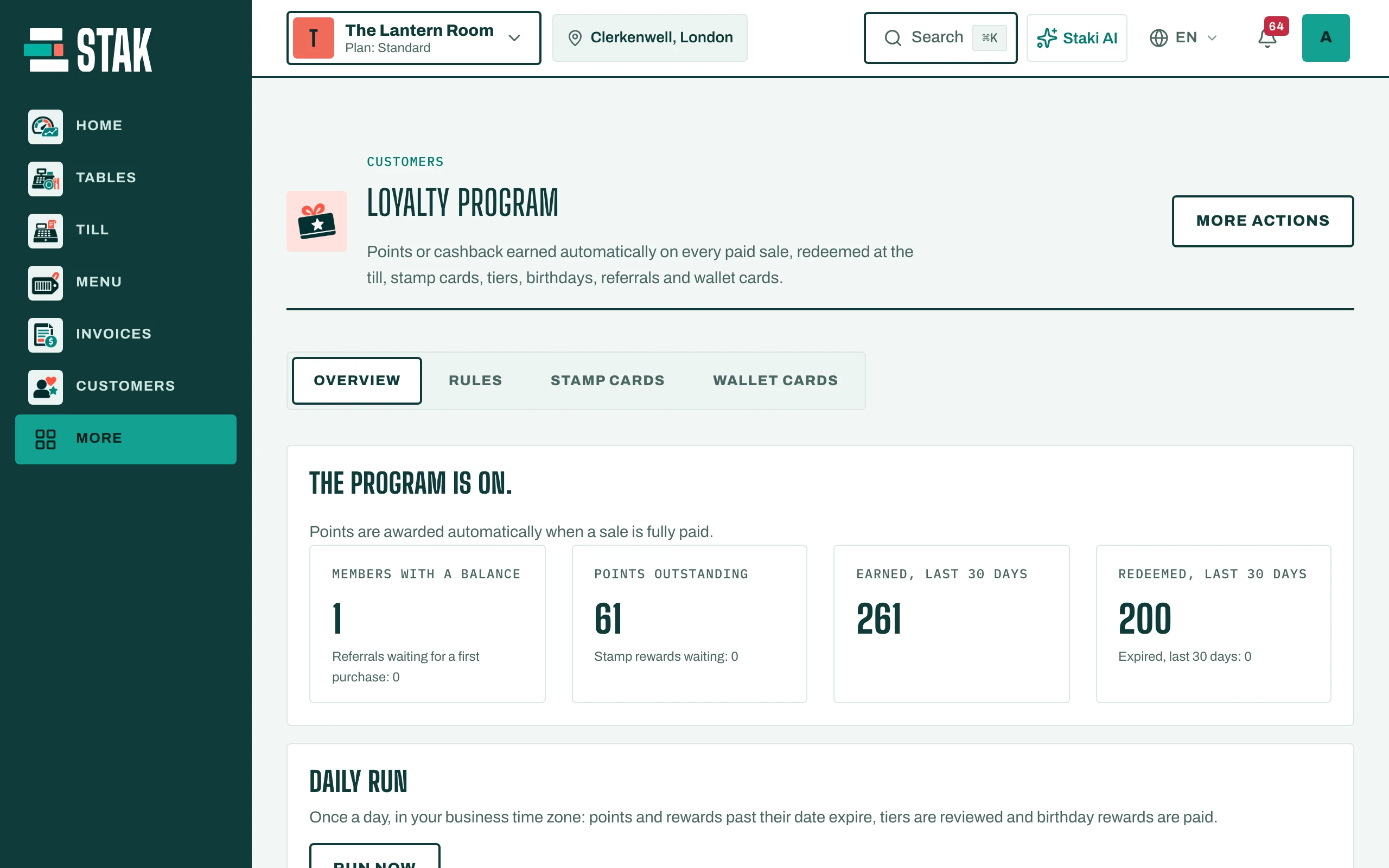
- Tap Loyalty in the menu. You see Loyalty program.
- Open Rules and tick Program on.
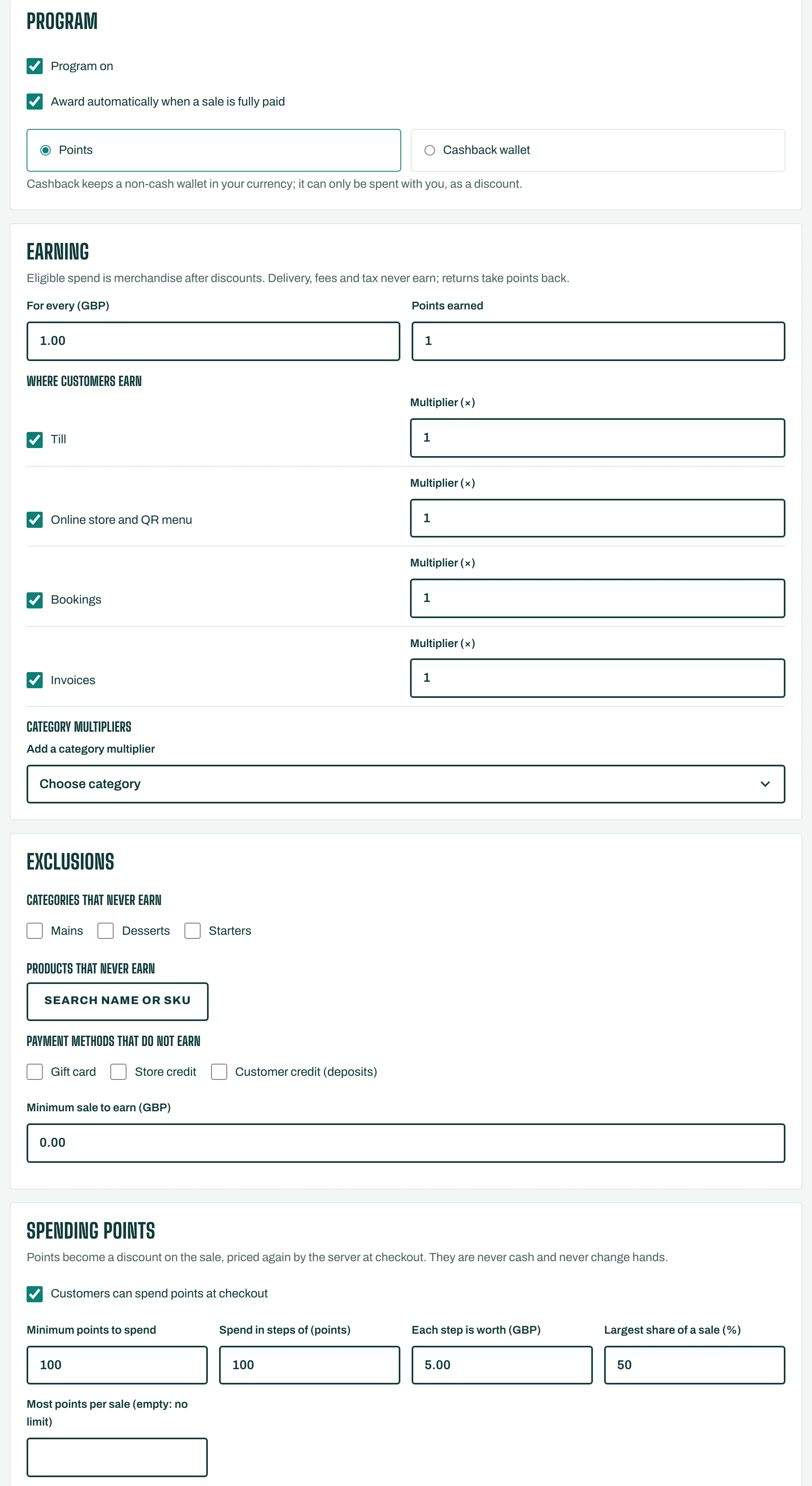
- Choose the Program type: Points, or a Cashback wallet (a non-cash balance in your currency, spent only with you).
- Tick Award automatically when a sale is fully paid.
How customers earn
Under Earning, set For every amount spent, the Points earned. Only merchandise after discounts earns: delivery, fees and tax never do, and returns take points back. You can also set Minimum sale to earn, and leave out Categories that never earn or Products that never earn.
How customers spend
Under Spending points, tick Customers can spend points at checkout. Set the Minimum points to spend and, if you like, the Most points per sale. Points become a discount on the sale; they are never paid out as cash.
To make points run out, set Points expire after (months, empty: never).
Tap Save.
Extras
- Tiers: tap Add tier to reward regulars, with Points to qualify and an Earning multiplier (×).
- Birthday reward: tick Give points on the customer's birthday.
- Stamp cards and Wallet cards have their own tabs.
The Overview shows Points outstanding, and what was Earned and Redeemed in the last 30 days.