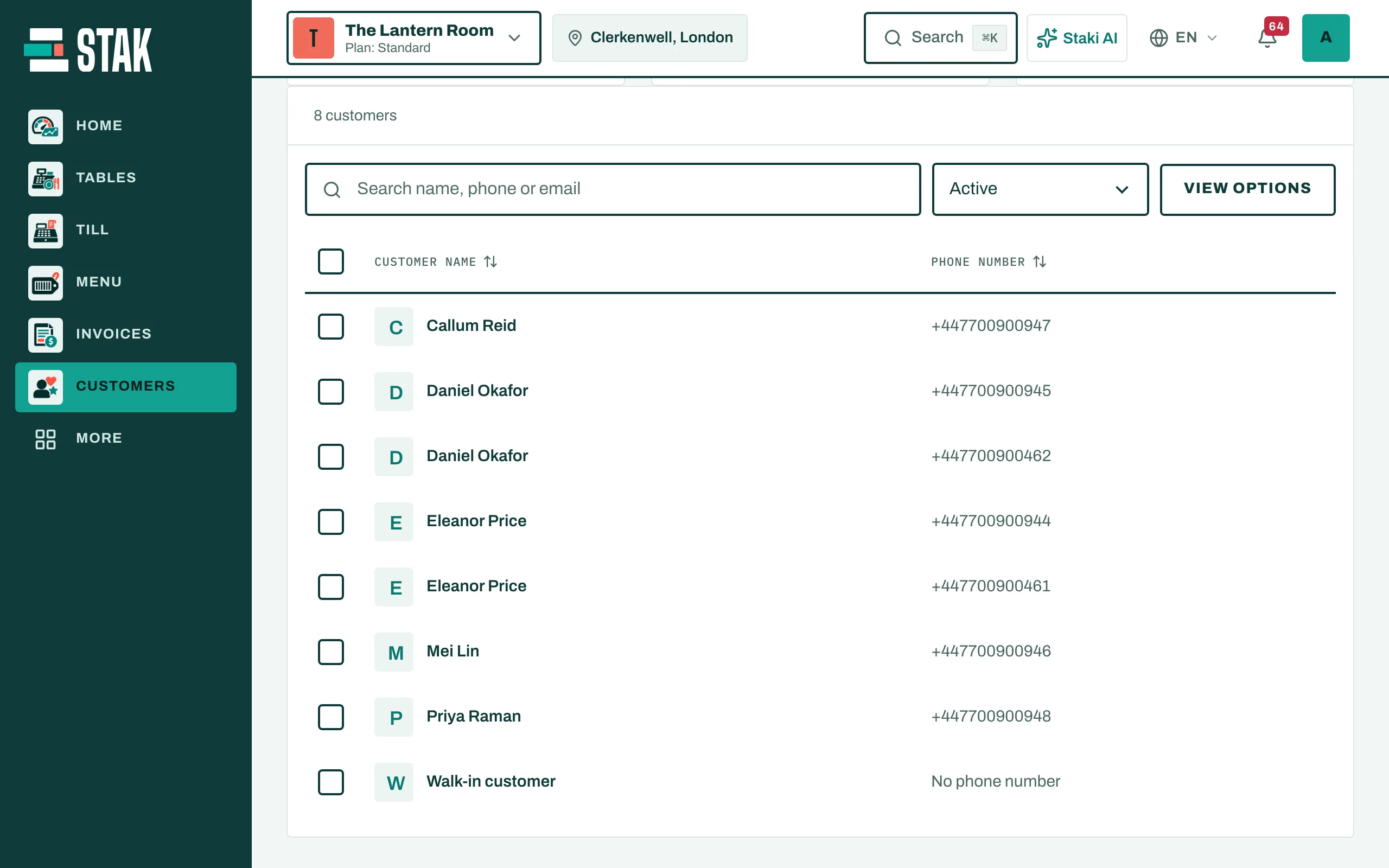
Get started with Customers
Keep every customer's name, phone, addresses and notes ready for every sale, order and invoice.
One customer list serves the till, the online store, bookings and invoices. A customer you add once is there everywhere.
Add a customer
- Tap Customers in the menu, then New customer.
- Type the Customer name and Phone number. Type the number as written locally; for another country, start with + or pick the country.
- Add the Email and Preferred language if you have them.
- For deliveries, tap Add address and give it an Address name, for example "Home" or "Office".
- Internal notes are visible only to your team.
- Tap Save customer.
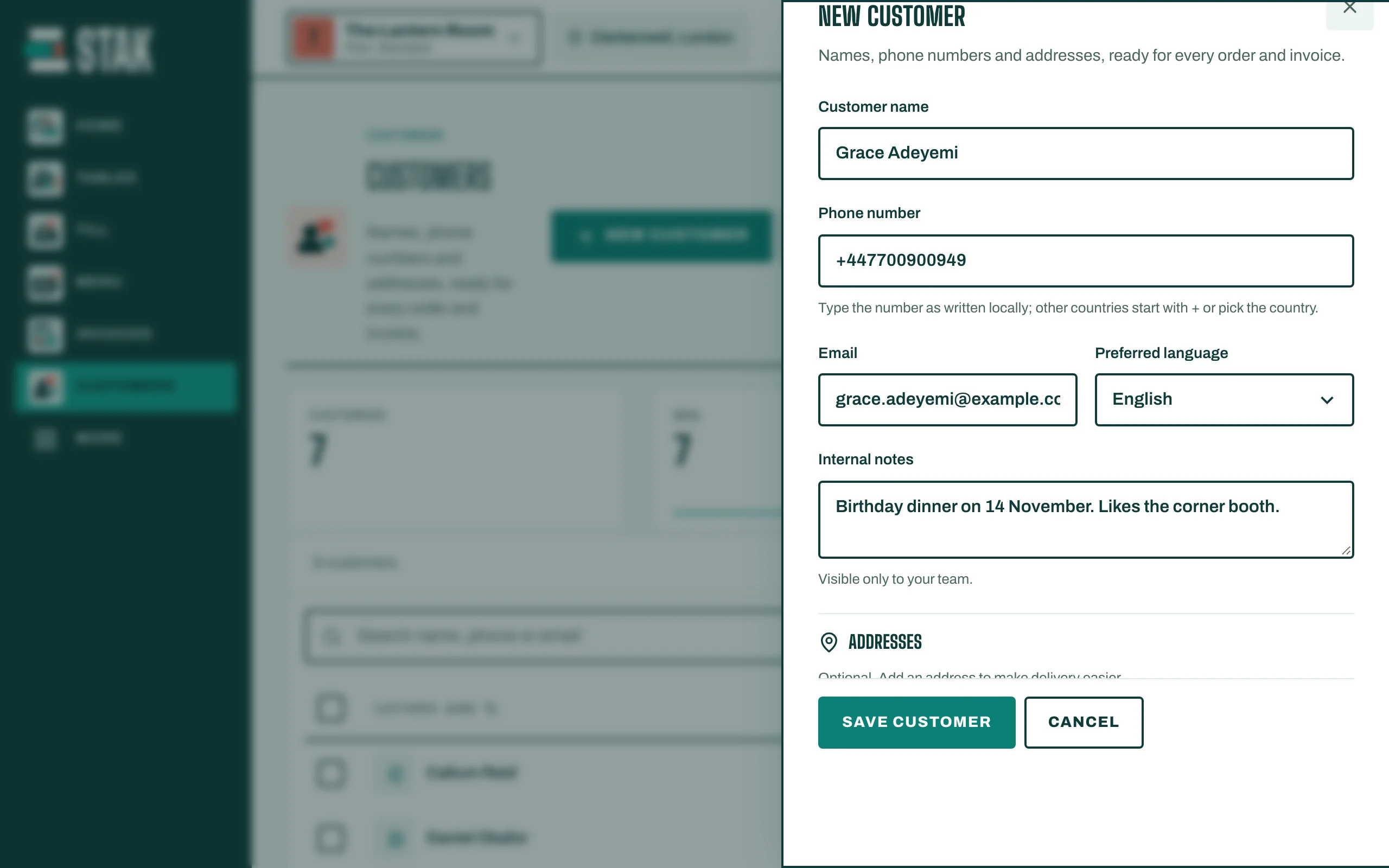
You can also add a customer during a sale (Add customer on the till) or while writing an invoice.
Find a customer
Type in Search name, phone or email. Each phone number belongs to one customer only, so STAK warns you if you type a number that is already saved.