

Send a campaign
Send an offer to the right customers by WhatsApp, SMS or email, see the cost first, and see what it earned.
Only customers who agreed to hear from you on a channel get a message there.
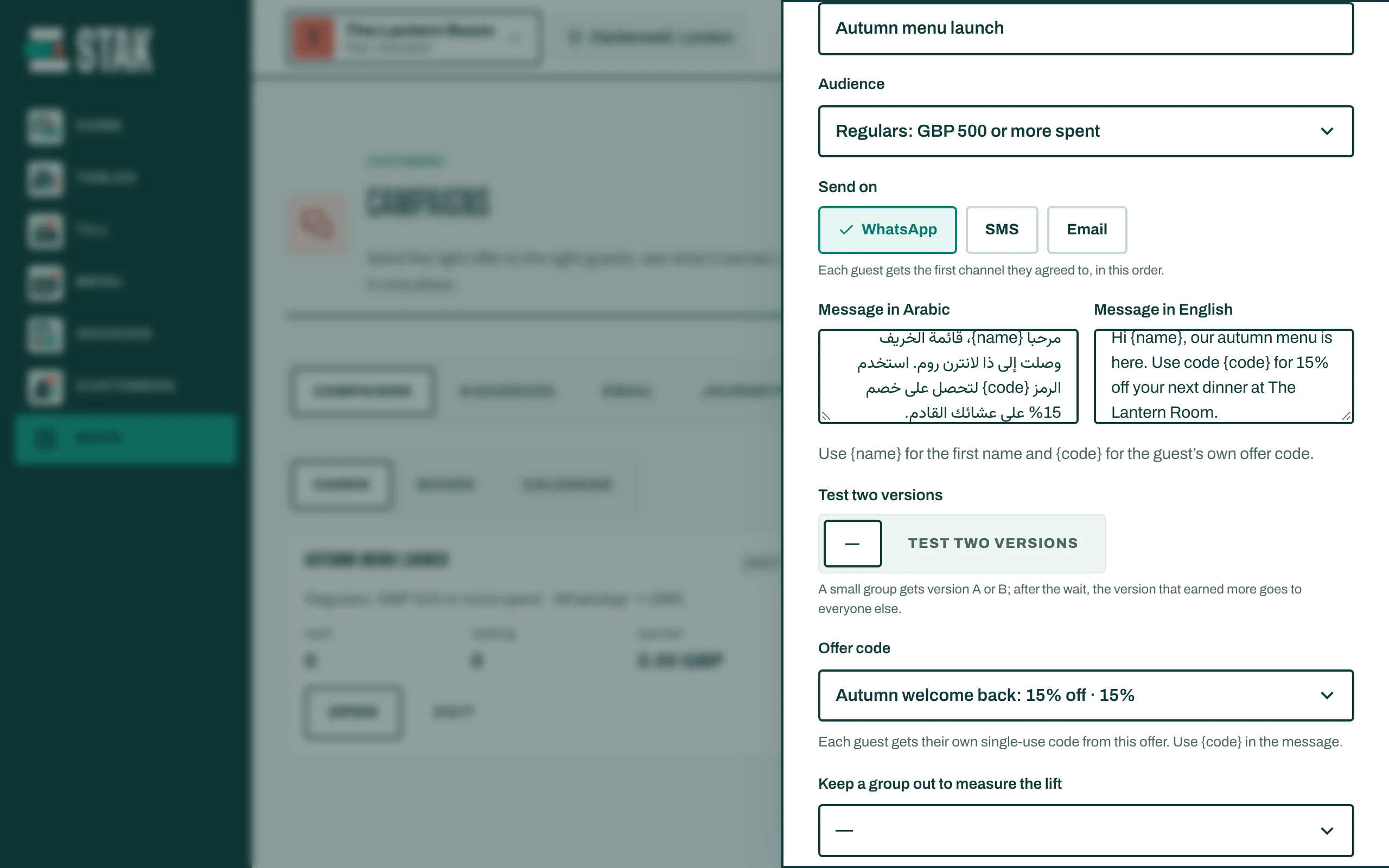
Write it
- Tap More, then Campaigns, then New campaign.
- Choose the Audience. You build audiences in the Audiences tab, or use the ready Guest groups.
- Give the Campaign name.
- Under Send on, tick WhatsApp, SMS and/or Email. Each customer gets the first channel they agreed to, in that order.
- Write the Message in Arabic and the Message in English. Use {name} for the first name.
- Optional: choose an Offer code; each customer gets their own single-use code ({code} in the message).
- Under When, choose Send now or Pick a time.
Check before you send
- Tap Save and preview. You see Before you send: Guests who will get it, who is Left out (no consent on these channels), and the Estimated cost.
- If it looks right, tap Schedule send.
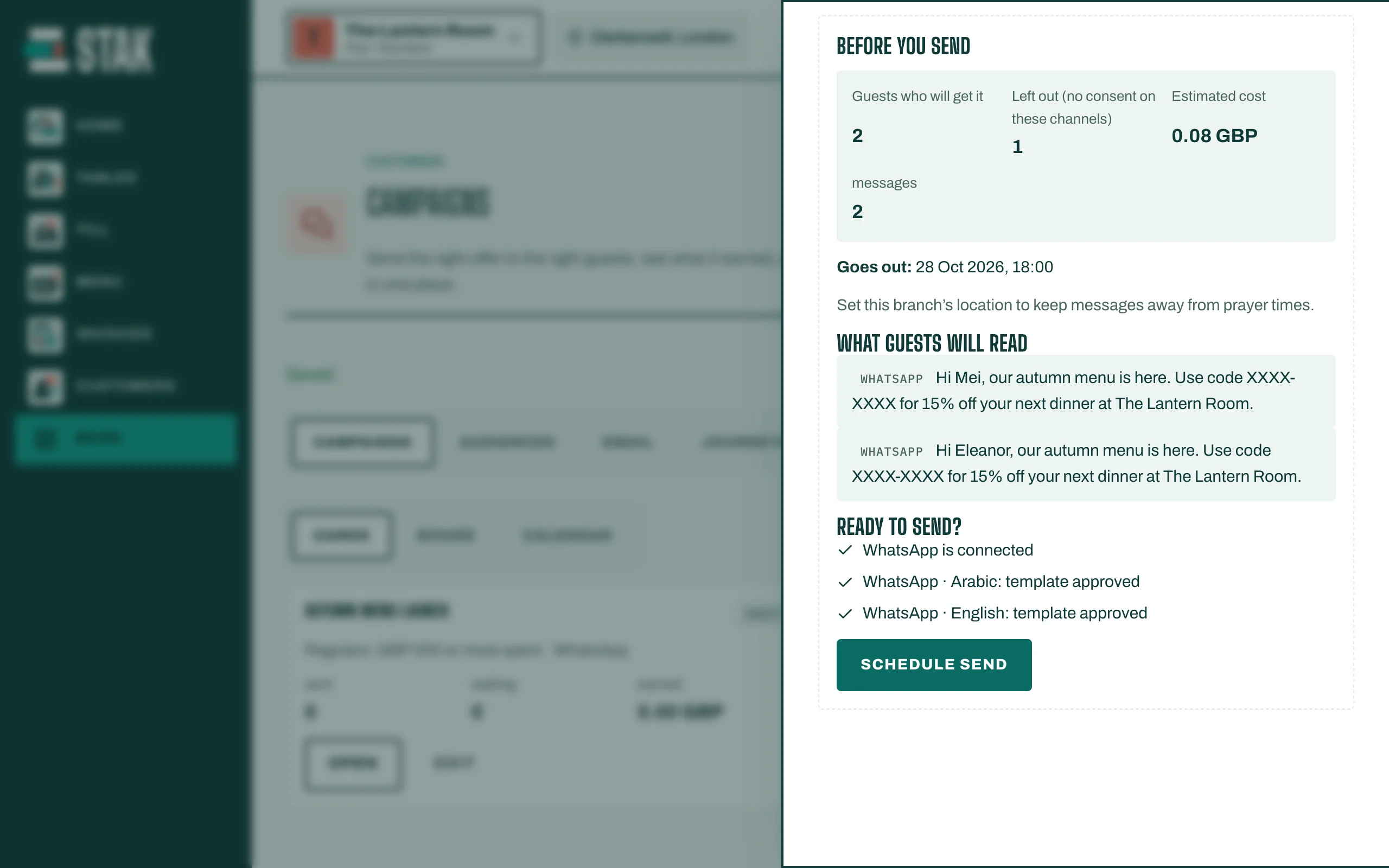
Messages wait for quiet hours, prayer times and legal sending hours where they apply, and go out after.
See what it earned
The campaign shows how many were sent and how much it earned: sales from people who got it, within three days. To measure fairly, tick Keep a group out to measure the lift: a small group gets nothing, and STAK compares their spend with the rest.
To test two messages, tick Test two versions. A small group gets version A or B, and the one that earns more goes to everyone else.