

Get started with Studio
Menus, posts, flyers and labels made from your own catalogue, in your brand.
Studio makes menus, social posts, flyers, labels and cards from your own catalogue: the prices and photos fill themselves, and your logo, colours and fonts come from your Brand Kit.
Set your Brand Kit
- Tap More, then Creative Studio.
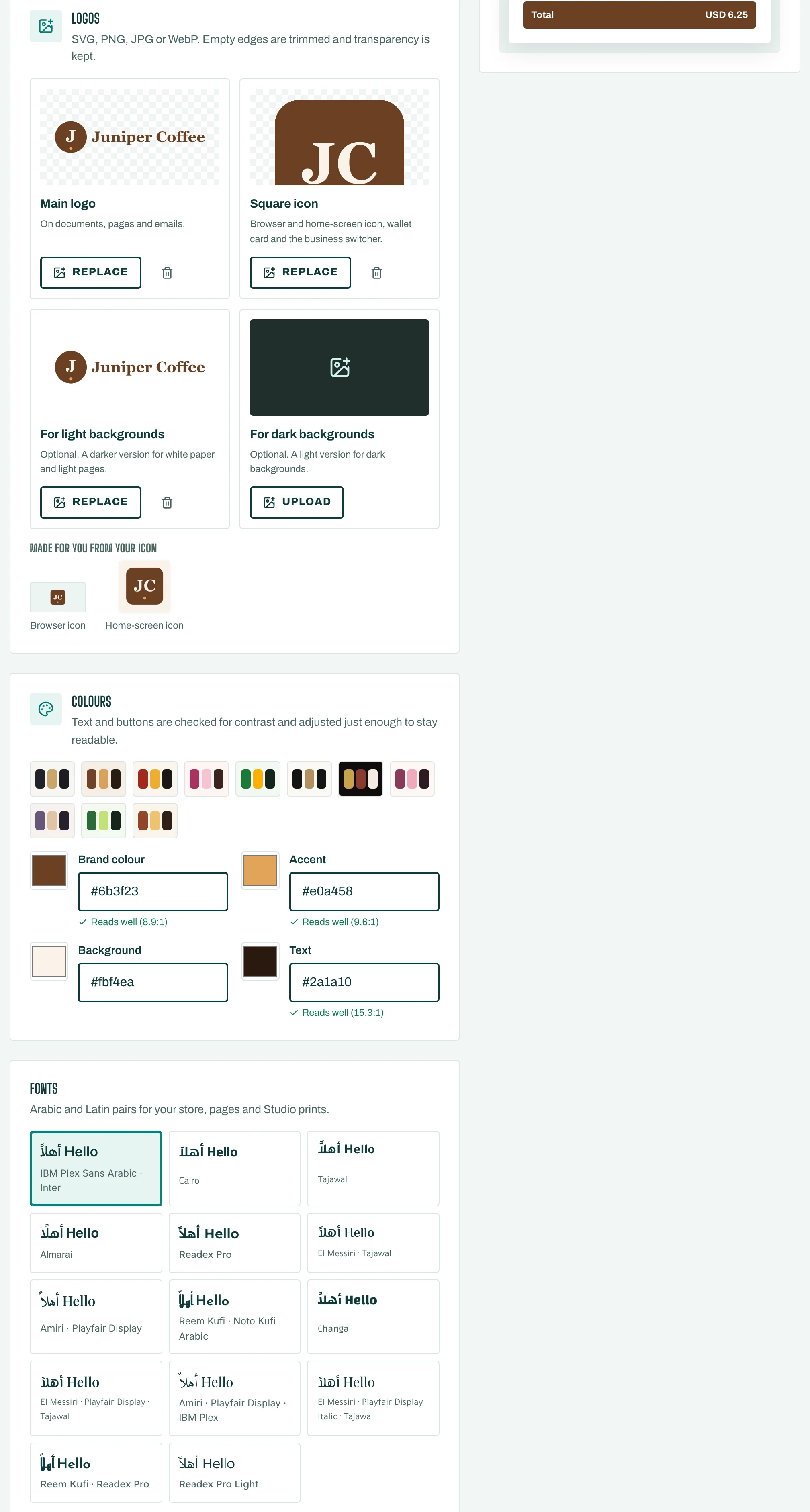
- Tap Edit Brand Kit. Add your logo, your Brand colours and your Brand font.
New designs use your Brand Kit automatically.
Start a design
- On Start, look at Templates for your business, or browse by group: Social, Menus, Marketing, Labels and tags, Cards and vouchers, and Occasions.
- Tap Use this template. Or tap New design, Pick a size, and start Blank.
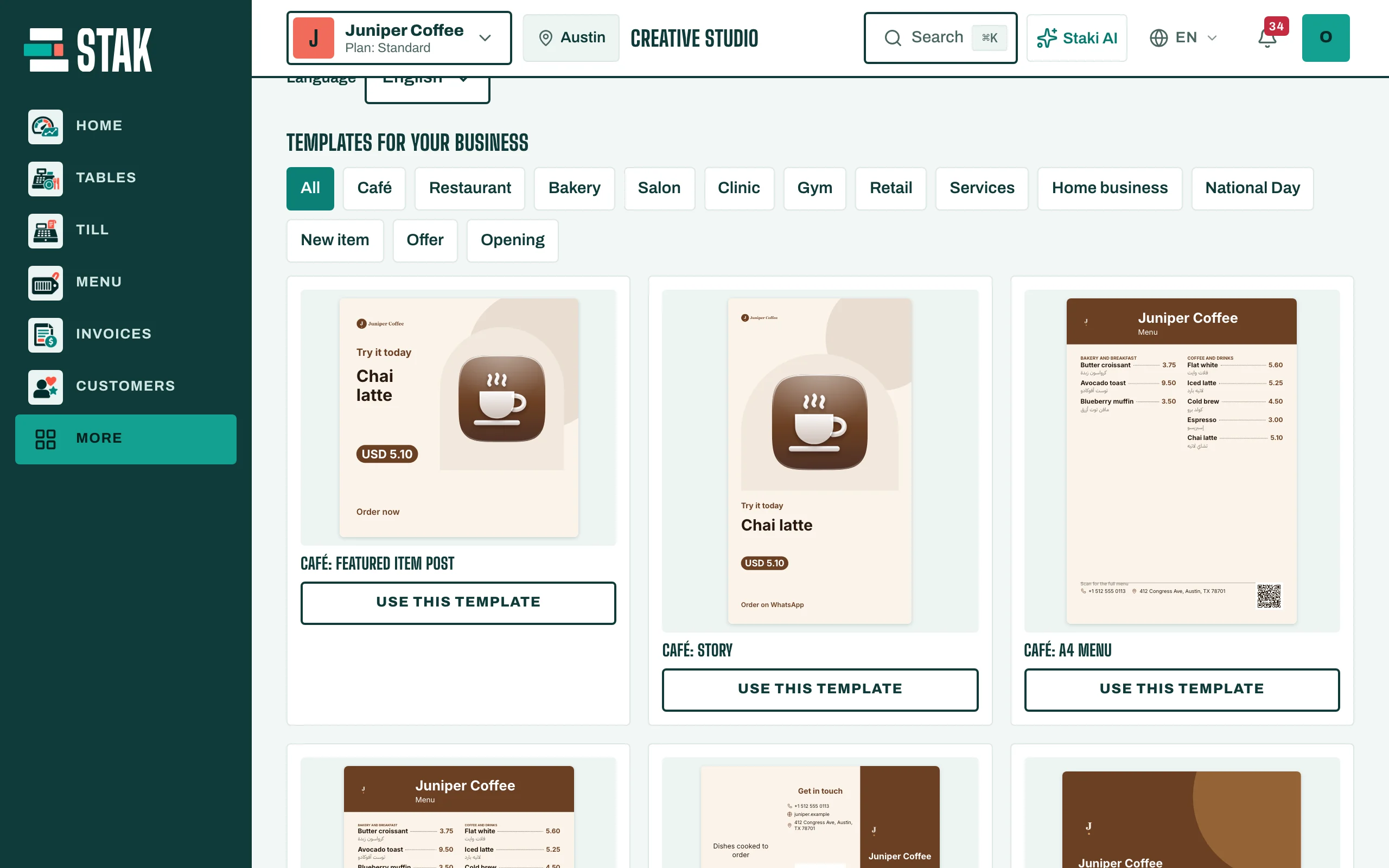
Your work is under My designs.
Next steps
- Make a design from a template
- Write a caption with AI
- Make the other-language version
- Remove a photo's background
- Export and share