

Pay your STAK bill
Pay on a secure card page in one step and keep every bill as a PDF.
Pay in one step
- Open Settings, then Plan and billing.
- When a bill is due, the Plan tab shows Pay with the amount. Tap it.
- You go to Stripe's secure page, a payment link for this one bill. Pay by card or wallet. STAK never sees your card details.
- If you have a VAT or tax ID, enter it on that page.
- You come back to STAK. When the payment is confirmed you see Payment received. The bill is paid and the change is in force.
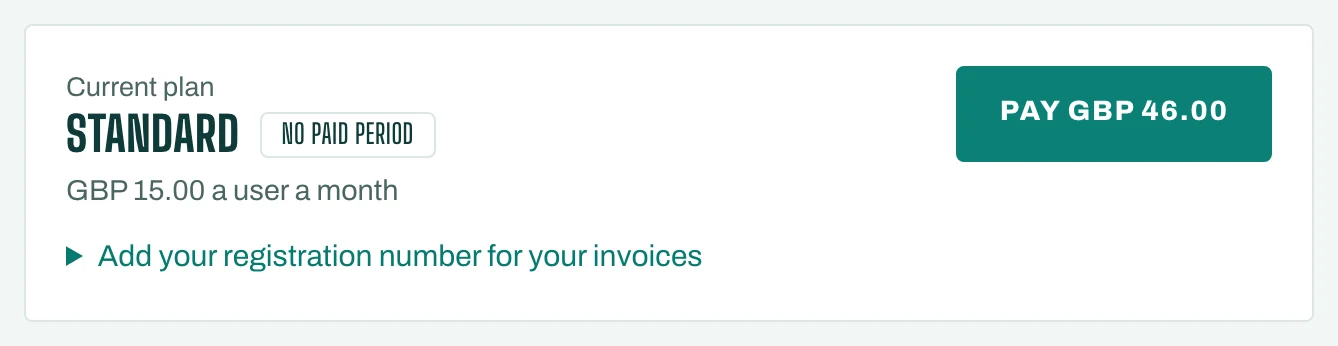
If the payment doesn't go through, nothing is charged and the bill stays open, so you can try again.
Your bills
The Bills tab lists every STAK bill with what it is For, its Period, Total and Status (Unpaid, Paid or Cancelled).
- Tap Pay on an unpaid bill.
- Tap Open the Stripe invoice (PDF) on a paid bill to keep it for your books.
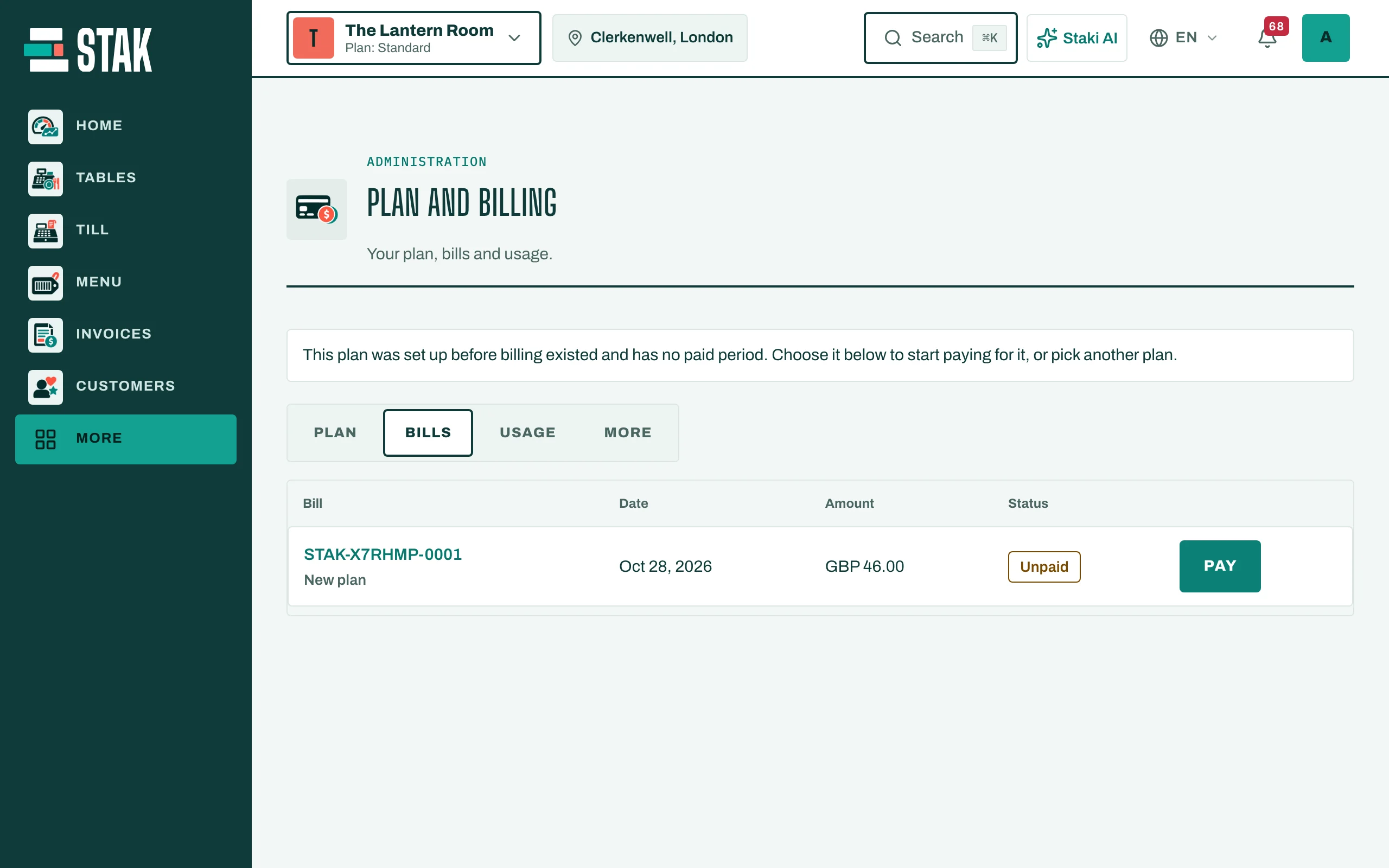
Each period gets its own bill and pay link: nothing is charged automatically.
If a bill stays unpaid
STAK sends the bill, then reminders on day 3 and day 6, by WhatsApp, text message or email. The Plan tab shows the date to pay by.
If the bill is still unpaid on that date, only your back office locks (Back office locked): it opens to Plan and billing alone, so you can pay, see your bills and export your data. Your business keeps selling: the till, online store, ordering and booking pages, payment links and staff apps all keep working. Pay the bill and everything unlocks at once.
Your data is never deleted. Moving to Free also unlocks the back office and cancels the unpaid bill (see Cancel or change your plan).