

Buy AI credits
AI runs on prepaid credits. Buy a pack, or add monthly credits on Standard and Custom, and set a spending cap.
No plan includes AI. Every AI job uses credits you bought in advance, and you see the most a job can use before it starts.
See your balance
In Plan and billing, open Usage. Under AI credits you see what is Available now, what is Held for running jobs, and what is left from each source.
Buy a pack
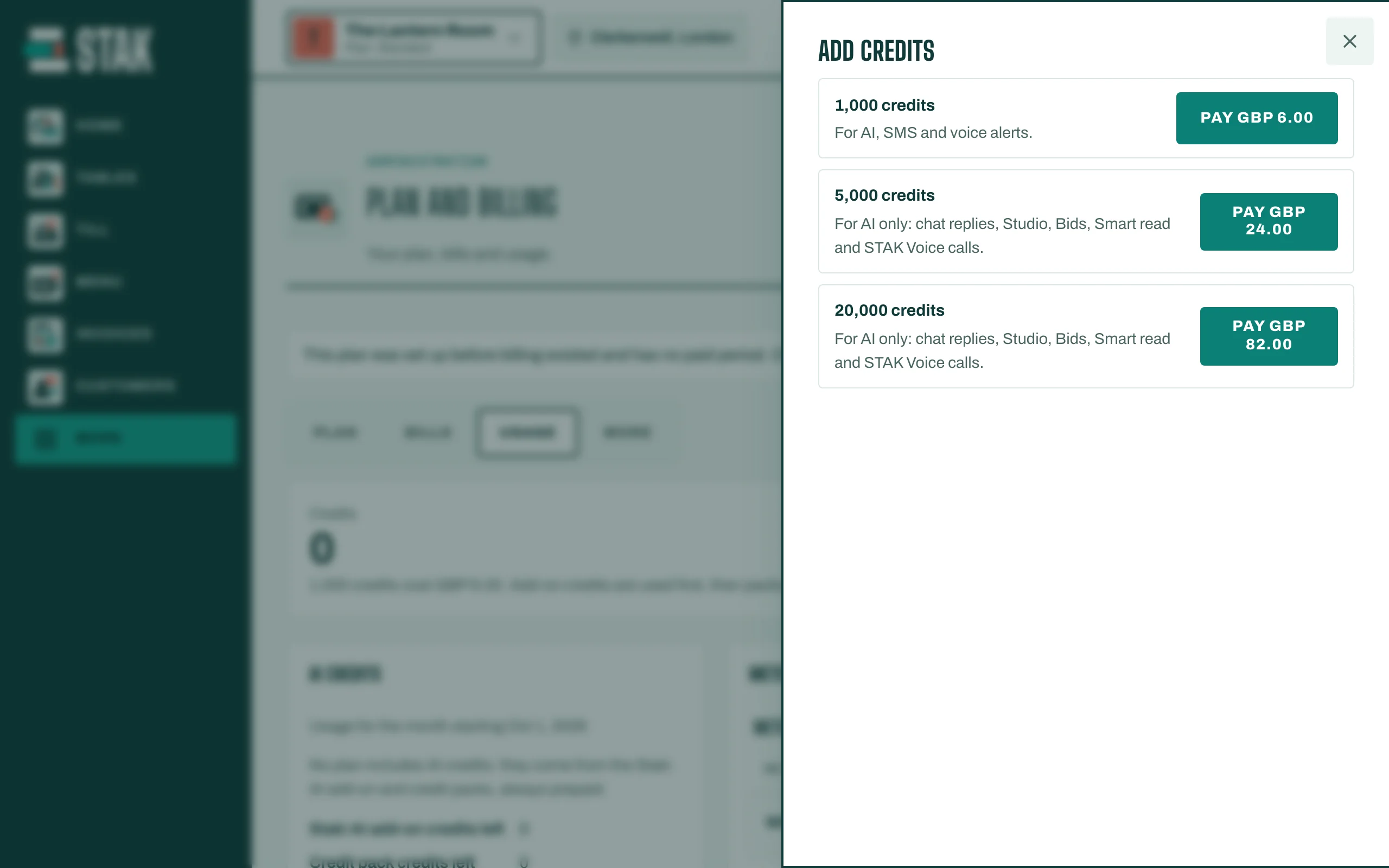
- In Usage, go to Credit packs and tap Add credits.
- Choose a pack:
- 1,000 credits: for AI, SMS and voice alerts.
- 5,000 or 20,000 credits: for AI only (chat replies, Studio, Smart read and more). Bigger packs cost less per credit.
- Pay the bill. The credits are added when it is paid, and stay valid for 12 months.
Monthly credits (Standard and Custom)
The Staki AI monthly add-on puts +1,000, +2,000 or +4,000 credits on your bill every month, paid in advance. Turn it on in Add-ons. It is billed monthly only; on yearly billing, top up with packs.
Add-on credits are used first, then packs.
Set a spending cap
Under Monthly spend caps, set a cap for All paid usage, AI or Messaging, and tap Save cap. A cap stops new paid usage once reached; included allowances are never blocked. The owner and admins are alerted at 80% and 100%.
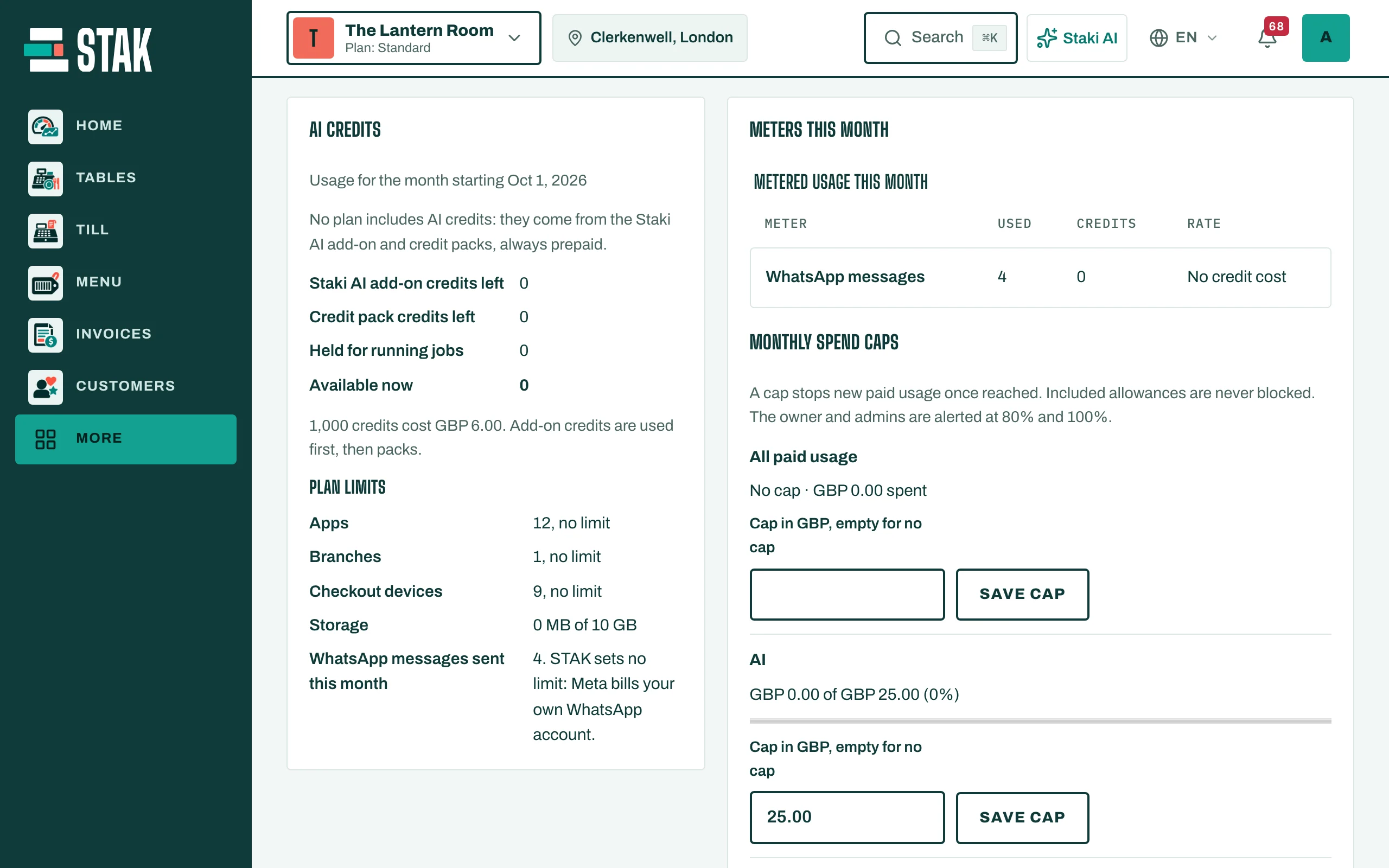
Meters this month shows what used credits, with the rate of each.