

Reminders and business rules
Choose what Staki reminds you about, when it stays quiet, and when it should speak up.
Staki reminds you before things slip, in the app, and on your phone when the STAK owner app is signed in. Each reminder comes once.
Choose your reminders
- In Staki, open Reminders.
- Under Remind me about, tick what matters to you, for example Approvals waiting, Unpaid payment links, Stock running low or Bookings coming up.
- Set Quiet hours: no reminders between two times, in your business's time zone.
- Tap Save.
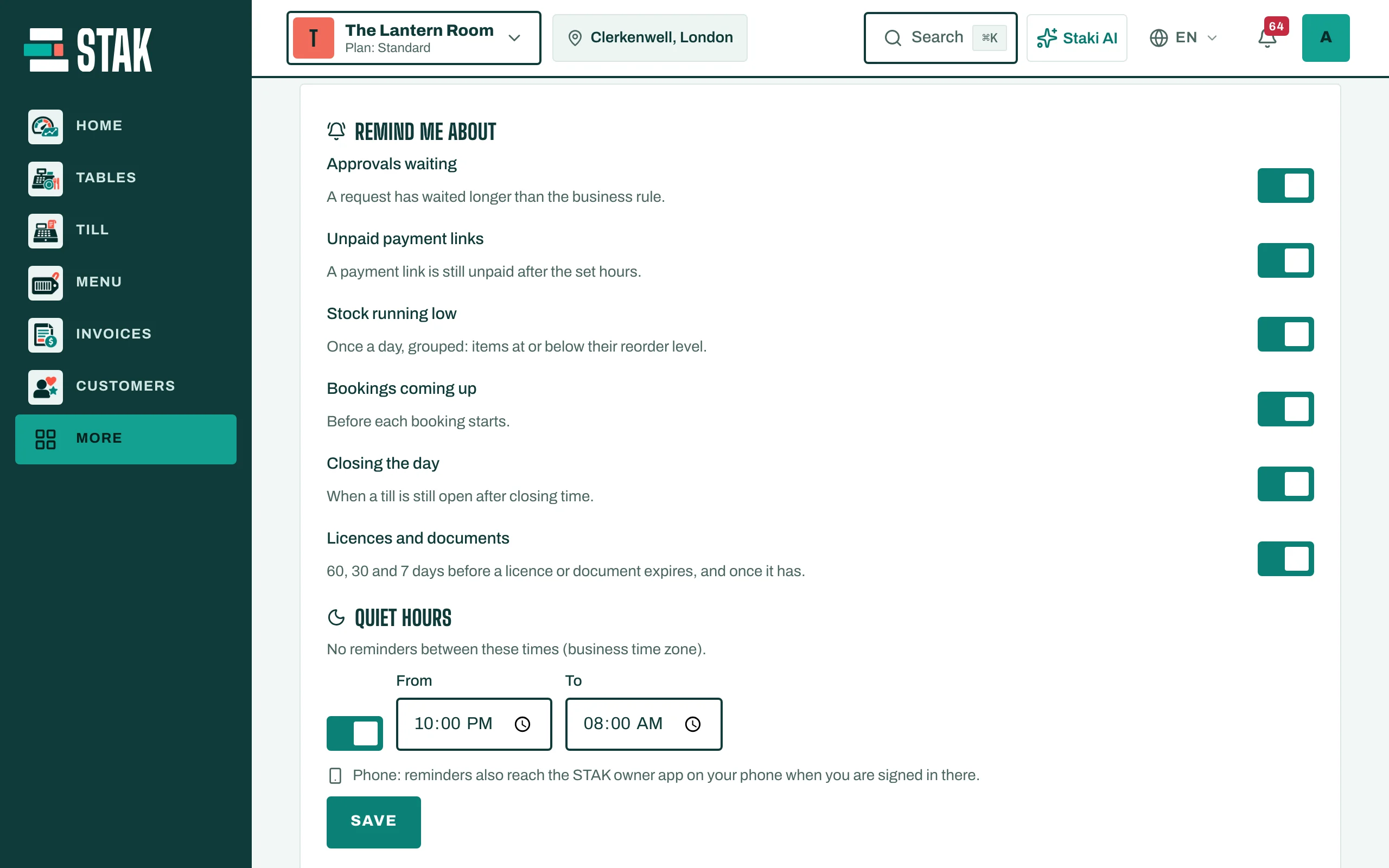
Reminders go to owners, admins and managers. Your team gets their own reminders on their own device.
Business rules
Under Business rules, set when Staki should speak up for everyone in the business, for example after an approval has waited a number of hours, a payment link is unpaid for a number of hours, or the till is still open a number of minutes after closing time.